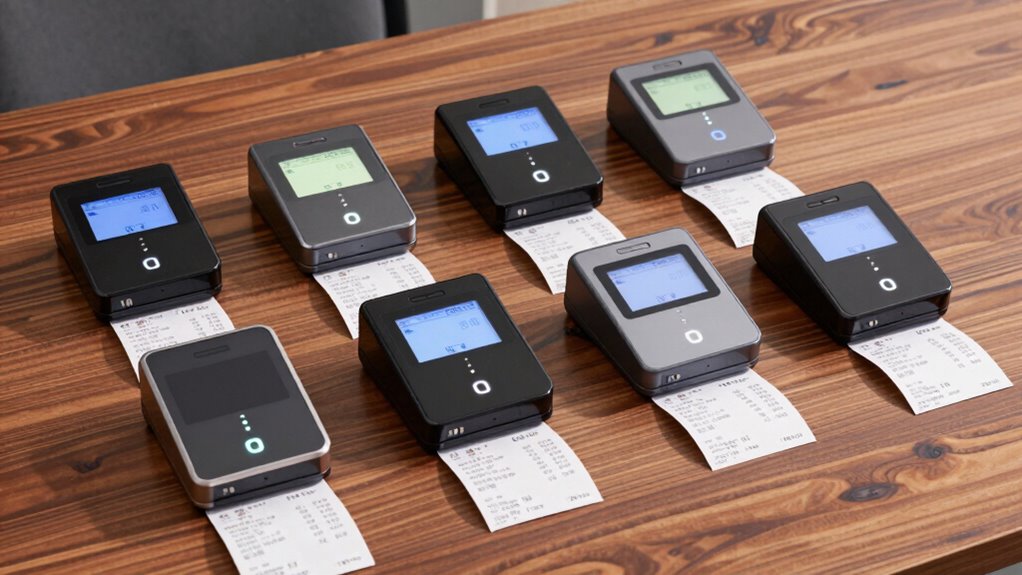

When searching for receipt scanners, the goal is to find a device that balances speed, portability, and ease of use. The Epson RapidReceipt RR-60 stands out as the best overall pick for its compact design and reliable performance. For those prioritizing wireless convenience, the ScanSnap iX1300 offers seamless connectivity and double-sided scanning. Another strong contender is the Epson WorkForce ES-50, perfect for mobile professionals who need a lightweight solution. These choices highlight the common tradeoffs between portability, scanning speed, and advanced features. Keep reading to see how each model stacks up and which one fits your needs best.

Prime made for students and young adults
- Fast, free delivery for dorm and study essentials
- Prime Video and Amazon Music included
- Member-only deals
Key Takeaways
- Top models emphasize portability without sacrificing scanning quality, making them ideal for on-the-go use.
- Wireless connectivity is a key feature for users who want to scan directly to cloud services or their devices without cables.
- Price often correlates with features; more expensive options tend to include larger input capacity and advanced interfaces.
- Compact size can sometimes mean slower scanning speeds or limited document handling, which impacts workflow.
- Ease of setup and compatibility with both PC and Mac vary, influencing the overall user experience.
| Epson RapidReceipt RR-60 Mobile Tax Receipt and Color Document Scanner |  | Best Overall for Portable Receipt Scanning | Technology: ScanSmart AI PRO | Scanning Speed: up to 10 pages per minute | Weight: under 10 oz | VIEW ON AMAZON | See Our Full Breakdown |
| ScanSnap iX1300 Wireless & USB Double-Sided Color Document Scanner |  | Best for Versatile Connectivity and Duplex Scanning | Connectivity: USB, Wi-Fi | Scan Speed: up to 30 ppm | Automatic Features: de-skew, color optimization, blank page removal | VIEW ON AMAZON | See Our Full Breakdown |
| Epson WorkForce ES-50 Portable Single-Sheet-Fed Receipt and Document Scanner for PC and Mac |  | Best for On-the-Go Single-Page Scanning | Compatibility: PC and Mac | Scanning Speed: 5.5 seconds per page | Document Size: up to 8.5 x 72 inches | VIEW ON AMAZON | See Our Full Breakdown |
| Canon imageFORMULA R10 Portable Document Scanner |  | Best for Mobile Media and Media Types | Power Consumption: 2.5W or less | Suggested Daily Volume: 500 scans | Media Types: Receipts, business cards, reports, legal documents | VIEW ON AMAZON | See Our Full Breakdown |
| Brother DS-640 Compact Mobile Document Scanner |  | Best for Ultra-Portable High-Speed Document Scanning | Speed: 16 pages per minute | Weight: 1.5 lbs | Dimensions: Less than 1 foot in length | VIEW ON AMAZON | See Our Full Breakdown |
| ScanSnap iX2500 Wireless and USB Document Scanner with 5″ Touchscreen and 100-Page Feeder |  | Best Overall for Versatile, High-Performance Scanning | Connectivity: Wi-Fi 6, USB-C | Touchscreen: 5 inches | Scan Speed: 45 pages per minute | VIEW ON AMAZON | See Our Full Breakdown |
| ScanSnap iX2500 Receipt Edition Wireless Scanner for Mac and PC |  | Best for Receipt and Invoice Digitization with QuickBooks Integration | Page Capacity: 100 pages | Scanning Speed: 45 pages per minute | Connectivity: Wi-Fi, USB | VIEW ON AMAZON | See Our Full Breakdown |
| receipt scanner | Connectivity | Scanning Speed | Compatibility |
|---|---|---|---|
| Epson RapidReceipt RR-60 Mobil | USB-powered | up to 10 pages per minute | — |
| ScanSnap iX1300 Wireless & USB | USB, Wi-Fi | — | — |
| Epson WorkForce ES-50 Portable | USB 2.0 | 5.5 seconds per page | PC and Mac |
| Canon imageFORMULA R10 Portabl | — | 12 pages per minute | Windows and Mac |
| Brother DS-640 Compact Mobile | — | — | Windows, Mac, Linux |
| ScanSnap iX2500 Wireless and U | Wi-Fi 6, USB-C | — | — |
| ScanSnap iX2500 Receipt Editio | Wi-Fi, USB | 45 pages per minute | Mac, PC |
More Details on Our Top Picks
Epson RapidReceipt RR-60 Mobile Tax Receipt and Color Document Scanner
The Epson RapidReceipt RR-60 stands out for its ultra-compact design, making it ideal for users who need to scan receipts and small documents on the go. Compared with the Brother DS-640, it offers comparable speed but excels with AI-powered data extraction, which streamlines organizing digital files. However, it’s limited to small documents and receipts, with no wireless connectivity, which could be a drawback for those needing more flexibility. This scanner is perfect for busy professionals or small business owners who prioritize portability and quick digitization without heavy duty volume needs.
Pros:- Incredibly lightweight and portable at under 10 oz
- Fast scanning speed of up to 10 pages per minute
- AI-powered automatic data extraction and file naming
- Seamless integration with cloud and financial software
Cons:- Limited to small documents and receipts, not suitable for larger files
- No wireless connectivity, requiring direct USB connection
- Software installation needed for full features
Best for: Travelers, mobile professionals, or small business owners who need quick, portable receipt capture
Not ideal for: High-volume environments or users requiring wireless scanning and larger document handling
- Technology:ScanSmart AI PRO
- Scanning Speed:up to 10 pages per minute
- Weight:under 10 oz
- Connectivity:USB-powered
- Supported Page Size:up to 8.5″ x 72″
- Software Compatibility:Windows and Mac
Our verdict“This pick is best for users prioritizing portability and quick receipt digitization over wireless features or high-volume scanning.”
ScanSnap iX1300 Wireless & USB Double-Sided Color Document Scanner
The ScanSnap iX1300 makes a compelling case for users who need reliable duplex scanning combined with flexible connectivity options like Wi-Fi. Compared with the Epson RR-60, it offers faster duplex speeds up to 30 pages per minute and supports a broader range of device types, including mobile and Chromebook. Its automatic features like de-skew and blank page removal help optimize images, but setting up the ScanSnap Home software can be a hassle for some users. This model suits small offices or busy professionals who want versatile, high-speed scanning across multiple devices without sacrificing quality.
Pros:- Fast duplex scanning at 30 ppm with automatic image optimization
- Versatile connectivity via Wi-Fi, USB, and cloud services
- Compact, space-saving design
- Supports multiple device types including Mac, PC, mobile, and Chromebook
Cons:- Requires initial setup of ScanSnap Home software, which can be complex
- Might be overkill for simple single-page scans or low-volume users
Best for: Small office users or professionals seeking fast, duplex, and wireless scanning
Not ideal for: Users with limited setup patience or those needing simple, plug-and-play devices with minimal software
- Connectivity:USB, Wi-Fi
- Scan Speed:up to 30 ppm
- Automatic Features:de-skew, color optimization, blank page removal
- Supported Devices:Mac, PC, mobile devices, Chromebook
- Software:ScanSnap Home
- Supported Document Size:up to 11″ in length
Our verdict“This scanner fits well for small teams or mobile professionals needing speedy duplex scans and flexible connections, despite a setup learning curve.”
Epson WorkForce ES-50 Portable Single-Sheet-Fed Receipt and Document Scanner for PC and Mac
The Epson WorkForce ES-50 is designed for quick, single-page scans, making it ideal for mobile professionals who need to digitize receipts, IDs, or paperwork rapidly. Its 5.5-second per page speed is impressive, but it’s limited to one sheet at a time, unlike larger, multi-sheet models. Compared with the Brother DS-640, it lacks automatic document feed but wins points for being ultra-lightweight and USB-powered, meaning no external power supply is needed. This device is best suited for those who prioritize portability and occasional scanning over volume or multi-page capability.
Pros:- Extremely lightweight and portable for travel
- Fast scan speed of 5.5 seconds per page
- Includes OCR for searchable files
- No external power supply required
Cons:- Limited to single-sheet scans, not suitable for batch jobs
- Requires USB connection for operation
- Fewer advanced features compared to larger scanners
Best for: Freelancers, sales reps, or travelers needing quick, single-page scans with no fuss
Not ideal for: Heavy users or those with high-volume scanning needs, requiring multi-sheet or batch processing
- Compatibility:PC and Mac
- Scanning Speed:5.5 seconds per page
- Document Size:up to 8.5 x 72 inches
- Connectivity:USB 2.0
- Power:USB powered
- Software:Epson ScanSmart, OCR, Twain driver
Our verdict“This scanner is perfect for mobile users who need quick, single-page digitization without bulk or complex setup.”
Canon imageFORMULA R10 Portable Document Scanner
The Canon imageFORMULA R10 targets mobile users who need to scan a variety of media, including receipts, reports, and business cards, with duplex speeds up to 12 pages per minute. Compared to the Epson ES-50, it offers a higher daily volume capacity and built-in software that eliminates the need for complex setup. However, it’s not suitable for scanning photographs or glossy media, limiting its use to documents and media types. This device is an excellent choice for field agents or small businesses that require portable, reliable media scanning with minimal fuss.
Pros:- Portable and lightweight for mobile use
- Efficient duplex scanning at 12 ppm
- Built-in software with easy setup
- Supports a variety of media types
Cons:- Not suitable for high-quality photo or glossy media scans
- Limited to document and media types, not for photo paper
- Suggested daily volume may be low for intensive use
Best for: Mobile professionals or small businesses needing versatile media scanning in the field
Not ideal for: Photographers or users needing high-quality photo scans or large-volume batch processing
- Power Consumption:2.5W or less
- Suggested Daily Volume:500 scans
- Media Types:Receipts, business cards, reports, legal documents
- Scanning Speed:12 pages per minute
- Automatic Feeder Capacity:20 sheets
- Compatibility:Windows and Mac
Our verdict“This scanner delivers reliable media and document scanning for mobile users, with some limitations on photo quality and volume.”
Brother DS-640 Compact Mobile Document Scanner
The Brother DS-640 is well-suited for users who need a highly portable scanner capable of scanning both color and black-and-white documents at an impressive 16 pages per minute. Its ultra-compact size, less than a foot long and only 1.5 pounds, makes it one of the most portable options. Compared with the Epson ES-50, it offers faster speeds and supports multiple destinations like cloud and email. However, its reliance on USB power means it can’t operate independently from a computer, and it’s limited strictly to document scanning, not photos. This device makes sense for field salespeople or consultants who value speed and portability but don’t want the complexity of larger scanners.
Pros:- Fast scanning at 16 pages per minute
- Extremely lightweight and compact
- Supports multiple destinations including cloud and email
- Compatible with Windows, Mac, and Linux
Cons:- Requires USB power, limiting use away from a computer
- Without a built-in battery or wireless, less flexible for remote use
- Limited to document scanning, not suitable for photos
Best for: Professionals needing high-speed, portable scanning with multiple destination options
Not ideal for: Photographers or heavy-volume users who need batch or photo scans
- Speed:16 pages per minute
- Weight:1.5 lbs
- Dimensions:Less than 1 foot in length
- Power:Micro USB 3.0 cable
- Compatibility:Windows, Mac, Linux
- Features:Automatic color detection, image rotation, OCR
Our verdict“Ideal for mobile professionals who prioritize speed and portability over standalone wireless operation or photo scanning.”
ScanSnap iX2500 Wireless and USB Document Scanner with 5″ Touchscreen and 100-Page Feeder
The ScanSnap iX2500 stands out for its combination of speed, connectivity, and user-friendly interface, making it ideal for busy offices that need reliable, high-volume scanning. Its impressive 45 pages per minute duplex scan performance surpasses many competitors like the Epson WorkForce ES-50, which is slower and less feature-rich. The large 5-inch touchscreen adds convenience but can be overwhelming for first-time users, especially given the complexity of initial setup. While the advanced features such as cloud support, customizable profiles, and multi-feed sensors elevate its utility, they also contribute to a higher price and a steeper learning curve. Compared with the ScanSnap iX1300, it offers more speed and connectivity options but at a cost—both financial and in setup complexity. This pick makes the most sense for users needing robust, multi-platform support and automation, willing to invest in a feature-rich device.Pros:- Fast duplex scanning at 45 pages per minute
- Large 5-inch touchscreen simplifies navigation
- Supports cloud services and mobile device connectivity
- Automatic document optimization and multi-feed detection
Cons:- High price may be a barrier for budget-conscious buyers
- Setup can be complex for users unfamiliar with advanced scanners
- Requires compatible devices for full functionality
Best for: Small to medium-sized businesses or professionals who require fast, versatile, and connected document management.
Not ideal for: Casual users or those with very limited scanning needs, as the initial complexity and higher price may outweigh the benefits.
- Connectivity:Wi-Fi 6, USB-C
- Touchscreen:5 inches
- Scan Speed:45 pages per minute
- Document Feeder Capacity:100 pages
- Supported Platforms:Mac, PC, mobile devices
- Features:Automatic optimizations, cloud support, customizable profiles, multi-feed sensor, skew detection
Our verdict“This scanner is best suited for busy professionals who prioritize speed, connectivity, and automation over simplicity.”
ScanSnap iX2500 Receipt Edition Wireless Scanner for Mac and PC
The ScanSnap iX2500 Receipt Edition is tailored for small business owners and accountants needing quick, efficient receipt and invoice scanning directly into QuickBooks. Its 45 ppm duplex speed matches the flagship model, but this edition emphasizes ease of use for financial documentation. The large touchscreen and customizable profiles facilitate quick sorting, while cloud support extends its versatility. Compared to the Epson RapidReceipt RR-60, which is smaller and more portable, the Receipt Edition offers more features for integrated financial workflows but at a higher price and complexity. The automatic optimizations help prevent paper jams, making it suitable for frequent use, but the initial setup for QuickBooks integration can be intimidating for casual users. This device makes sense for small business owners who want streamlined receipt processing combined with accounting tools.Pros:- Fast duplex scanning at 45 pages per minute
- Large touchscreen with customizable profiles
- Supports cloud services and direct QuickBooks integration
- Automatic optimizations to prevent paper jams
Cons:- Requires configuration for cloud and QuickBooks setup
- May be complex for infrequent or casual users
- Price is higher compared to basic scanners
Best for: Small business owners and accountants who need seamless receipt management and QuickBooks integration.
Not ideal for: Casual users or those who only need occasional scanning, as the setup and price might be more than they require.
- Page Capacity:100 pages
- Scanning Speed:45 pages per minute
- Connectivity:Wi-Fi, USB
- Compatibility:Mac, PC
- Features:Auto document feeder, multi-feed sensor, skew detection, customizable profiles
- Designed For:Receipts, invoices, financial documents
Our verdict“This scanner is ideal for small business users seeking integrated receipt management and accounting compatibility.”
How We Picked
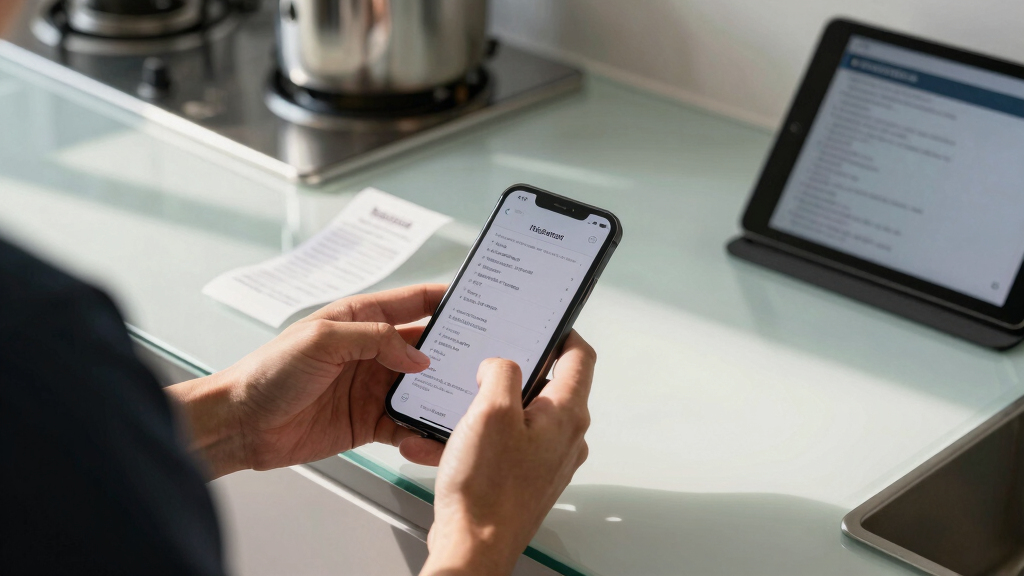
These receipt scanners were evaluated based on performance, portability, usability, build quality, and value. We prioritized devices that excel in everyday use, especially for small business owners, freelancers, and personal expense tracking. Devices with reliable scanning quality, simple interfaces, and durable construction ranked higher. We also considered how well each scanner integrates with common software workflows, including compatibility with Windows and Mac. The ranking reflects a balance between affordability and advanced features, ensuring options for different user needs and budgets.| receipt scanner | Connectivity | Compatibility |
|---|---|---|
| Epson RapidReceipt RR-60 Mobil | USB-powered | — |
| ScanSnap iX1300 Wireless & USB | USB, Wi-Fi | — |
| Epson WorkForce ES-50 Portable | USB 2.0 | PC and Mac |
| Canon imageFORMULA R10 Portabl | — | Windows and Mac |
| Brother DS-640 Compact Mobile | — | Windows, Mac, Linux |
| ScanSnap iX2500 Wireless and U | Wi-Fi 6, USB-C | — |
| ScanSnap iX2500 Receipt Editio | Wi-Fi, USB | Mac, PC |
Factors to Consider When Choosing Receipt Scanners
Choosing the right receipt scanner involves more than just price. Consider how portable you need your device to be, whether wireless connectivity is essential, and how much scanning capacity you’ll require. Additional factors like scanning speed, software compatibility, and ease of use can significantly influence your experience. Understanding these elements helps you avoid common pitfalls, such as buying a device that’s too bulky or lacking key features for your workflow.Portability and Size
If you frequently scan receipts on the go, a compact, lightweight scanner is critical. Portable models like the Epson ES-50 and Brother DS-640 excel here, fitting easily into bags or pockets. However, smaller devices may have slower speeds or limited input capacity, so assess your daily volume and mobility needs to balance convenience with performance.
Wireless Connectivity
Wireless features allow you to scan directly to your smartphone, tablet, or cloud storage without tangled cables. Devices like the ScanSnap iX1300 make this effortless, but they often come at a higher price. If you prefer simplicity and fewer cables, prioritize models with Wi-Fi or Bluetooth support, especially if you work across multiple devices.
Scanning Speed and Capacity
Speed matters if you handle a high volume of receipts. Double-sided scanners like the ScanSnap models can process more documents quickly, reducing wait times. Be cautious about input capacity; some portable models can only handle single sheets, which might slow down your workflow if you have many receipts to process at once.
Compatibility and Software
Check whether the scanner works smoothly with your operating system and preferred software. Many models support both Windows and Mac, but some may have limited functionality or require additional drivers. Compatibility influences how seamlessly your scanned receipts integrate into expense management or document organization tools.
Ease of Use and Maintenance
Devices with intuitive interfaces, such as touchscreens or straightforward controls, reduce setup and scanning errors. Consider also how easy it is to clean and maintain the scanner, as dust and debris can impact scan quality over time. Features like auto document feeders or quick buttons streamline repetitive tasks, saving time during busy periods.
Frequently Asked Questions
Can I scan receipts directly to cloud services?
Yes, many modern receipt scanners support direct scanning to cloud platforms like Dropbox, Google Drive, or OneDrive. Wireless models are especially suited for this, offering seamless transfer without the need for cables. Confirm that the scanner’s accompanying software or app integrates with your preferred cloud services before purchasing.
What is the best scanner for high-volume receipt processing?
For high-volume tasks, look for models with larger input trays and faster scanning speeds, such as the ScanSnap iX2500. These scanners often feature automatic document feeders and double-sided scanning, which significantly reduce processing time. Keep in mind that these tend to be less portable and more expensive but are worth it for busy workflows.
Are portable receipt scanners reliable for everyday use?
Portable scanners like the Epson ES-50 and Brother DS-640 are designed for mobility and usually deliver dependable performance for light to moderate use. However, they may have slower speeds and limited capacity compared to desktop models. For occasional or on-the-go scanning, they offer a good balance of size and function.
Do I need a scanner with a touchscreen?
Touchscreens can simplify operation, especially for users unfamiliar with complex software. They allow quick adjustments and easy review of scanned images. If you prefer a straightforward, user-friendly experience, choosing a scanner with a touchscreen can reduce frustration and streamline your workflow.
How important is duplex scanning for receipts?
Duplex scanning, which captures both sides of a receipt in a single pass, saves time and improves efficiency. While not all portable models support duplex, it becomes valuable if you process a large number of double-sided receipts regularly. Consider your typical receipt types and volume when deciding if this feature is worth the extra cost.
Conclusion
For most small business owners or frequent travelers, the Epson RapidReceipt RR-60 offers a well-rounded blend of portability and performance, making it the best overall choice. Budget-conscious users will appreciate the Brother DS-640 for its affordability and reliable basic features. If you’re new to scanning or prefer a simple setup, the Epson WorkForce ES-50 provides an easy entry point. For those with high-volume needs or seeking advanced features, the ScanSnap iX2500 stands out as a premium option. Ultimately, your selection should align with your scanning volume, mobility requirements, and preferred connectivity options.
As an affiliate, we earn on qualifying purchases.Fall Picks
fall essentials