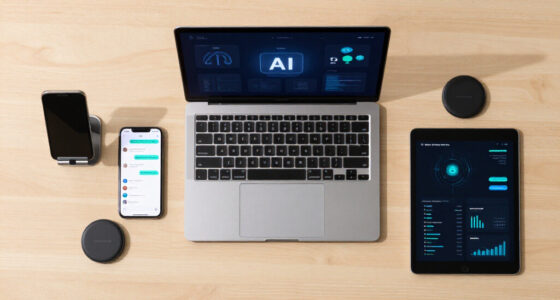
You need a conference camera system that offers crisp, high-resolution video with good lighting and automatic framing to keep everyone in focus. Clear audio quality with noise reduction is essential for effective conversations. It should be easy to set up and compatible with your devices and platforms, ensuring smooth connectivity. Reliability matters too, so you can depend on it during important meetings. Keep exploring to find out how to choose the right system for your business needs.
Key Takeaways
- High-resolution video with proper lighting and calibration for clear, natural visuals.
- User-friendly setup and automatic framing to ensure quick, hassle-free operation.
- Superior audio quality with noise reduction for effective, distraction-free communication.
- Compatibility across platforms and devices to support remote and hybrid work environments.
- Reliable connectivity and network stability to prevent interruptions during critical meetings.
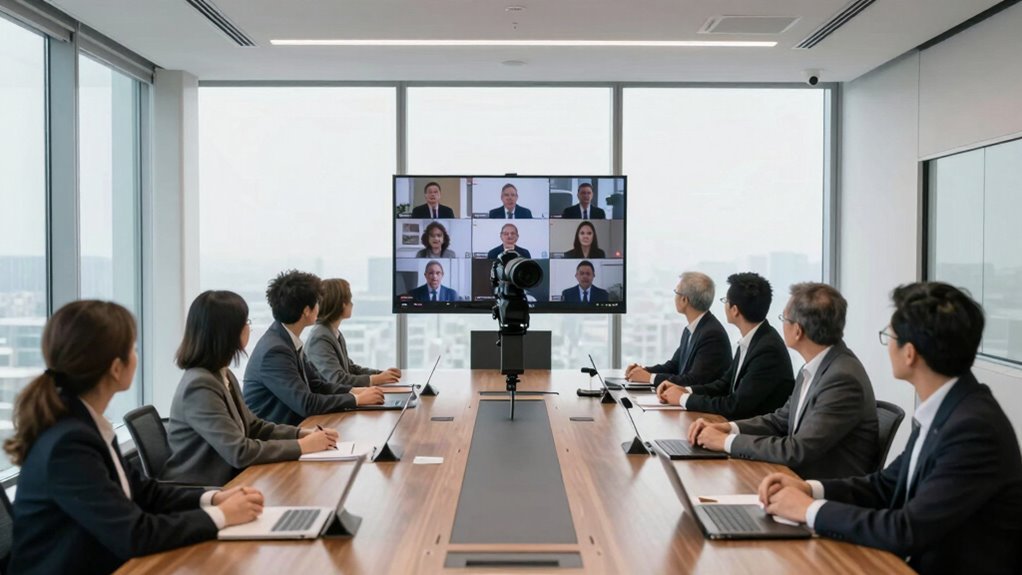
In today’s fast-paced business environment, having a reliable conference camera system isn’t just a luxury—it’s a necessity. You need to ensure that remote collaboration feels as seamless as in-person meetings. When you’re working with teams spread across different locations, the quality of your video feed becomes crucial. Clear, high-resolution video helps everyone stay engaged, minimizes misunderstandings, and promotes a sense of presence, even from afar. Poor video quality can lead to frustration, miscommunication, and a lack of connection, which ultimately hampers productivity. That’s why investing in a system that delivers sharp, crisp visuals should be a top priority.
Your conference camera system should be easy to set up and intuitive to use. You don’t want to waste valuable meeting time fiddling with complicated controls or troubleshooting technical glitches. Look for features like plug-and-play connectivity and user-friendly interfaces that allow anyone on your team to operate the system confidently. This simplicity increases efficiency and ensures meetings run smoothly, without unnecessary delays. Additionally, a camera with automatic framing or tracking capabilities is a game changer. It keeps the speaker in focus without manual adjustments, making conversations more natural and engaging for remote participants.
Another vital aspect is audio integration. Even the best video quality won’t matter if your team struggles to hear each other clearly. Your conference camera system should include high-quality microphones that can pick up voices from different directions and reduce background noise. Clear audio combined with excellent video creates an immersive experience, making remote collaboration feel more like an in-person interaction. This integration minimizes the need for multiple devices and reduces clutter, keeping your meeting setup clean and professional.
Flexibility is also essential. Your conference camera system should support various platforms and devices, whether it’s Windows, Mac, or mobile. Compatibility ensures everyone can join meetings effortlessly, regardless of their device or location. Additionally, look for cloud-based options that enable easy recording and sharing of meetings. This feature is particularly useful for documenting decisions or sharing information with absent team members afterward. Moreover, video quality plays a significant role in maintaining engagement, which is why high-resolution cameras are often a key component of effective systems. Incorporating proper lighting is also important because it enhances video clarity, especially in less well-lit environments. Also, considering calibration and color accuracy can significantly improve the visual fidelity of your video feed, making images appear more natural and true-to-life. Furthermore, understanding the importance of network stability can help prevent interruptions during critical meetings, ensuring a smooth experience for all participants. Finally, ease of setup can significantly reduce the time and effort needed to get your system operational, ensuring you’re ready to meet without delays.
Ultimately, your conference camera system should empower you to communicate effectively with remote teams. It needs to combine excellent video quality, ease of use, reliable audio, and flexible connectivity. When these elements come together, you create a collaborative environment where ideas flow freely, and everyone feels connected, no matter where they are. In a world that’s increasingly digital, your investment in the right conference camera system can be the difference between a productive meeting and a missed opportunity.

WYRESTORM 4K AI Tracking Conference Webcam, Auto Framing & Presenter Tracking, 120° Wide Angle, Dual Noise Cancelling Mics, Privacy Cover, USB Plug & Play, Zoom Certified for Teams Meeting Rooms
- Designed for Small Rooms: Ideal for compact conference spaces
- AI Auto Framing: Automatically frames all participants
- Presenter Tracking: Follows active speaker during presentations
As an affiliate, we earn on qualifying purchases.
As an affiliate, we earn on qualifying purchases.
Frequently Asked Questions
How Does a Conference Camera System Integrate With Existing Office Technology?
A conference camera system seamlessly integrates with your existing office technology through straightforward setup and compatibility features. You connect the cameras via HDMI, USB, or network interfaces, enabling smooth video conferencing. Camera integration allows your system to work with popular platforms like Zoom or Microsoft Teams, ensuring high-quality video and audio. This integration simplifies your meetings, enhances collaboration, and keeps your technology environment streamlined without requiring extensive adjustments.
What Is the Average Lifespan of a Typical Conference Camera System?
The clock’s ticking, and the typical lifespan of a conference camera system usually spans 3 to 5 years. You’ll want to take into account camera durability and technology compatibility, as these factors influence longevity. Investing in high-quality, well-built equipment can extend this period. Regular updates and maintenance also help maximize your system’s life, ensuring it continues to meet your needs without breaking the bank or becoming obsolete too quickly.
Are There Specific Security Features for Confidential Meetings?
Yes, there are specific security features for confidential meetings. You should look for systems with robust confidentiality protocols and encryption standards that protect your data. These features guarantee that video and audio streams remain private, preventing unauthorized access. By choosing a conference camera system with advanced encryption and strict confidentiality protocols, you can confidently conduct sensitive discussions knowing your information stays secure from breaches or eavesdropping.
How Much Maintenance Does a Conference Camera System Require?
A conference camera system generally requires minimal maintenance, mostly involving periodic camera calibration to guarantee peak image quality. You might need to troubleshoot system issues occasionally, which can include checking connections or updating software. Regularly scheduling calibration and staying on top of firmware updates can prevent most problems, ensuring smooth meetings. Keeping the system clean and monitoring its performance will help you avoid major troubleshooting in the long run.
Can Conference Cameras Operate Effectively in Low-Light Conditions?
Yes, conference cameras can operate effectively in low-light conditions. Many models feature night vision and enhanced low light performance, allowing clear video even in dimly lit rooms. You should look for cameras with infrared capabilities or sensors designed for low-light environments. This guarantees your meetings stay productive without worrying about poor visibility, making your conference system reliable whether it’s daytime or nighttime.

Logitech H390 Wired Headset for PC/Laptop, Stereo Headphones with Noise Cancelling Microphone, USB-A, in-Line Controls, Works with Chromebook – Black
- Digital Stereo Sound: Enhanced digital audio for various uses
- Rotating Noise Cancelling Microphone: Reduces background noise for clear calls
- In-line Controls: Adjust volume and mute easily
As an affiliate, we earn on qualifying purchases.
As an affiliate, we earn on qualifying purchases.
Conclusion
Ultimately, choosing the right conference camera system means understanding your unique needs and prioritizing quality, ease of use, and reliability. Remember, a good tool is only as strong as the effort behind it—“A chain is only as strong as its weakest link.” Invest wisely, and you’ll foster clearer communication and stronger connections, whether your team is in the room or miles apart. The right system can truly make all the difference in achieving your business goals.

Owl Labs Meeting Owl 3 – 360° 1080p HD Conference Room Camera, AI-Driven Speaker-Tracking, 18-Foot Mic Pickup – Certified for Microsoft Teams – Works with Zoom, Google Meet – Plug & Play Setup
- 360° HD Video and Audio: Captures 1080p video and 360° audio up to 18 feet
- AI-Driven Speaker Tracking: Automatically focuses on active speakers
- Intelligent View Focus: Uses visual and audio cues to optimize view
As an affiliate, we earn on qualifying purchases.
As an affiliate, we earn on qualifying purchases.

j5create 360 Degree All Around Meeting Webcam – 1080P HD Video Conference Camera with High Fidelity Microphone, USB-C | for Video Conferencing, Online Classes, and Collaboration (JVCU360)
- 360° Video Conferencing: All-around camera with microphone
- Multiple Display Modes: Six flexible viewing angles
- Full HD 1080p Video: Clear 1080p resolution at 30Hz
As an affiliate, we earn on qualifying purchases.
As an affiliate, we earn on qualifying purchases.