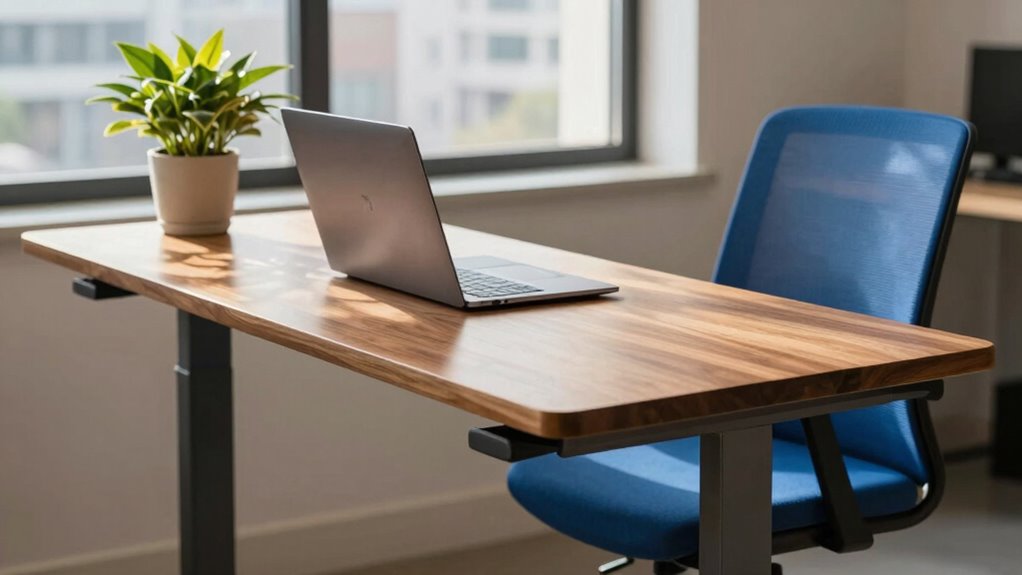
The hype around standing desks is justified, but only if you use them correctly. You need to alternate between sitting and standing every 30 to 60 minutes, keep your workspace ergonomically aligned, and listen to your body. Proper setup, like eye-level monitors and straight wrists, helps prevent strain and fatigue. When used thoughtfully, standing desks can boost your comfort and productivity. Stay tuned to discover how to maximize these benefits effectively.

Prime made for students and young adults
- Fast, free delivery for dorm and study essentials
- Prime Video and Amazon Music included
- Member-only deals
Key Takeaways
- Proper ergonomic setup and technique are essential to truly experience the benefits of a standing desk.
- Alternating between sitting and standing every 30 to 60 minutes prevents fatigue and enhances health.
- Monitoring height, keyboard, and mouse placement ensures comfort and reduces strain.
- Listening to your body’s signals helps avoid discomfort and long-term injuries.
- When used thoughtfully, standing desks can improve posture, focus, and overall well-being.
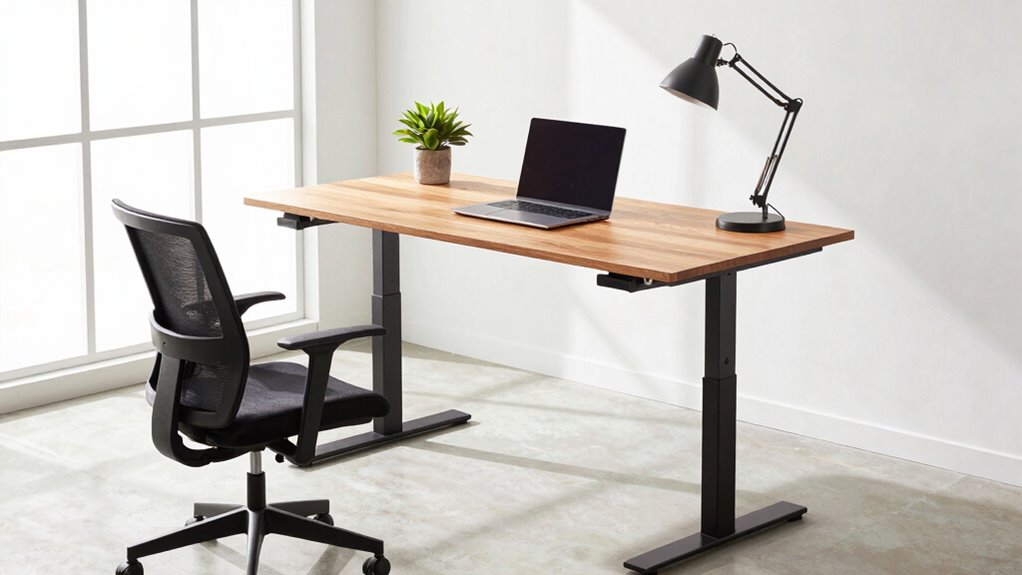
Many people are jumping on the standing desk bandwagon, convinced that switching from sitting to standing can boost their health and productivity. But simply having a standing desk isn’t enough—you need to use it correctly to truly reap the benefits. One of the main reasons people invest in these desks is because they hear about the ergonomic benefits. Standing helps reduce the strain on your lower back, neck, and shoulders that often comes from hours of slouching or hunching over a traditional desk. When set up properly, a standing desk encourages better posture, aligning your wrists, elbows, and spine in a way that minimizes discomfort and fatigue. This ergonomic setup isn’t just about comfort; it’s about preventing long-term injuries and improving your overall well-being.
However, the potential for a productivity boost depends heavily on how you approach your standing desk routine. Many jump into using a standing desk with the hope it’ll make them instantly more efficient, but the key is moderation and proper technique. Standing all day without breaks can lead to fatigue and even discomfort, which defeats the purpose. Instead, you should alternate between sitting and standing, ideally in intervals of about 30 to 60 minutes. This balance keeps your muscles engaged without overtaxing them. Incorporate movement into your routine—stretch, walk around, or do light exercises—because staying still for long periods, whether sitting or standing, isn’t ideal for productivity or health.
Adjusting your workspace is also essential. Your monitor should be at eye level, so you don’t crane your neck, and your keyboard and mouse should be positioned to keep your wrists straight. An ergonomic desk setup minimizes tension and helps you maintain focus for longer periods. Remember, the goal isn’t just to stand; it’s to stand smart. When you’re comfortable and properly aligned, you can concentrate better and work more efficiently. The productivity boost you’re seeking comes from a combination of ergonomic setup, proper use, and listening to your body’s signals.
In the end, the standing desk hype is justified, but only if you use it right. It’s not a magical fix, but it is a tool that, when integrated thoughtfully into your daily routine, can improve your comfort, health, and work efficiency. Don’t fall into the trap of thinking the desk alone will transform your day—use it wisely, and you’ll see real benefits.
adjustable standing desk with ergonomic features
As an affiliate, we earn on qualifying purchases.
As an affiliate, we earn on qualifying purchases.
Frequently Asked Questions
How Long Should I Stand on a Standing Desk Daily?
You should aim to stand on a standing desk for about 2 to 4 hours daily, gradually increasing as your body adapts. Use ergonomic accessories like anti-fatigue mats and monitor risers to improve comfort. Regularly switch between sitting and standing to prevent strain, and focus on posture correction to avoid discomfort. Listening to your body helps determine the most suitable standing duration, ensuring you reap benefits without overdoing it.
Are There Health Risks Associated With Prolonged Standing?
They say “everything in moderation,” and that’s true for standing at your desk. Prolonged standing can lead to health risks like varicose veins or joint discomfort, but ergonomic accessories can help. Avoid standing myths like “standing all day is best” by alternating sitting and standing. Listen to your body, take breaks, and use supportive mats. This way, you’ll enjoy the benefits without risking your health.
Can Standing Desks Improve Productivity?
Yes, standing desks can boost your productivity when used correctly. By adjusting your desk height and incorporating ergonomic accessories, you reduce discomfort and stay focused longer. Standing encourages movement, which keeps your energy levels up. Just remember to alternate between sitting and standing, and make sure your setup supports good posture. When used properly, a standing desk can enhance your efficiency and overall comfort throughout the workday.
What Type of Footwear Is Best for Standing Desks?
Like Cinderella’s glass slipper, your footwear needs to be just right for standing desks. Supportive shoes or ergonomic footwear provide the comfort and stability you need to stand longer without pain. Opt for shoes with cushioned soles, arch support, and a sturdy base. Avoid flats or unsupportive footwear, as they can lead to discomfort and fatigue. Wearing the right shoes helps you stay energized and focused all day.
How Do I Transition Smoothly From Sitting to Standing?
To shift smoothly from sitting to standing, start by adjusting your desk height gradually using ergonomic accessories. Take small, timed breaks to stand for a few minutes, then sit back down before increasing standing time. Pay attention to your posture, keeping your monitor at eye level and your wrists comfortable. Consistently adjusting your desk height helps your body adapt comfortably, preventing fatigue and promoting better posture throughout your workday.
monitor riser for eye level setup
As an affiliate, we earn on qualifying purchases.
As an affiliate, we earn on qualifying purchases.
Conclusion
Just like a well-tuned bicycle keeps you balanced and moving forward, using your standing desk the right way keeps your health on track. It’s not enough to just stand; you need proper posture, movement, and breaks. When you incorporate these habits, your workspace becomes a launchpad for better energy and comfort. So, embrace the hype, but remember, a standing desk is only as good as how you ride it—smoothly and intentionally.
ergonomic keyboard and mouse set
As an affiliate, we earn on qualifying purchases.
As an affiliate, we earn on qualifying purchases.
desk accessories for proper posture
As an affiliate, we earn on qualifying purchases.
As an affiliate, we earn on qualifying purchases.
Fall Picks
fall essentials
As an affiliate, we earn on qualifying purchases.