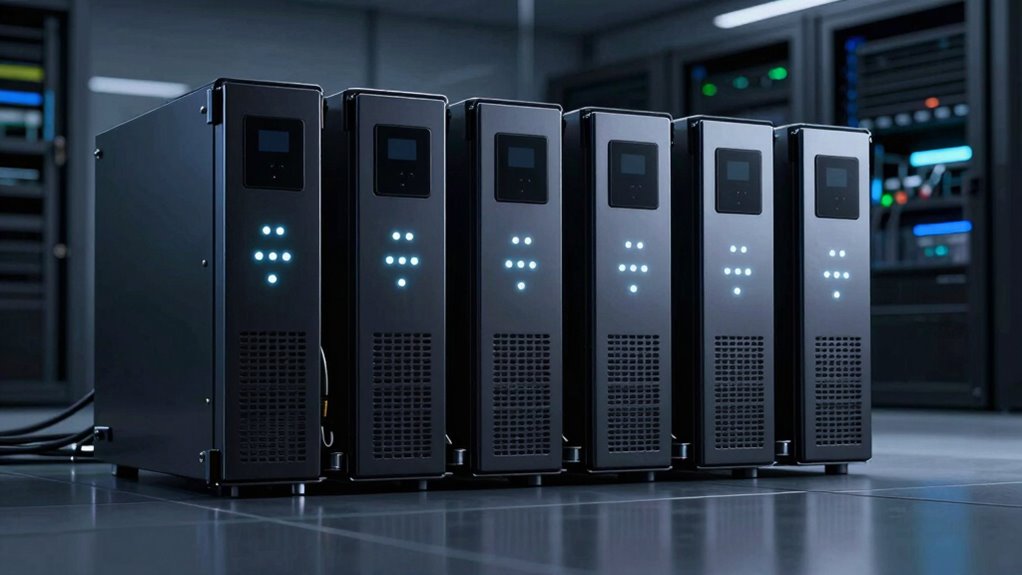

Choosing the right UPS for a server rack depends on your specific needs—whether you prioritize space-saving design, capacity, or advanced management features. The CyberPower CP2000PFCRM2U stands out for supporting active PFC supplies with a compact design, making it ideal for space-constrained environments. Meanwhile, the CyberPower OR500LCDRM1U offers a reliable 500VA backup tailored for smaller network setups. For those who need a balance of capacity and advanced monitoring, the CyberPower CP1500PFCRM2U provides sine wave power in a short-depth rackmount. Each option involves tradeoffs, from capacity limitations to management complexity, which I’ll clarify to help you select the best fit.

Get school and study supplies delivered free — and shop member deals
- Fast, free delivery on millions of items
- Access to Prime Big Deal Days deals on October 6–7
- Prime Video, Amazon Music and more included
Key Takeaways
- The CyberPower CP2000PFCRM2U excels in supporting active PFC power supplies within space-limited racks.
- The CyberPower OR500LCDRM1U offers a compact, UL-certified backup suitable for small network and server setups.
- The CyberPower CP1500PFCRM2U balances capacity with sine wave output, ideal for critical electronics in short-depth racks.
- The Eaton Tripp Lite SMART1500LCD provides versatile mounting options but uses modified sine wave in battery mode.
- The CyberPower OR500LCDRM1U is best for smaller setups needing remote management and real-time monitoring.
| CyberPower CP2000PFCRM2U PFC Sinewave UPS Battery Backup |  | Best for Space-Constrained Active PFC Support | Capacity: 2000VA/1200W | Outlets: 8 NEMA 5-20R | Input: NEMA 5-20P with six foot cord | VIEW ON AMAZON | See Our Full Breakdown |
| CyberPower OR500LCDRM1U Smart App LCD UPS Battery Backup and Surge Protector |  | Best for Small Server and Network Setups | Capacity: 500VA/300W | Outlets: 6 (4 backup + surge, 2 surge only) | Form Factor: 1U Rackmount | VIEW ON AMAZON | See Our Full Breakdown |
| CyberPower CP1500PFCRM2U PFC Sinewave UPS Battery Backup |  | Best for Capacity and Critical Equipment | Capacity: 1500VA/1000W | Output Waveform: Sinewave | Outlets: 8 NEMA 5-15R | VIEW ON AMAZON | See Our Full Breakdown |
| Eaton Tripp Lite SMART1500LCD 1500VA 2U Rack Mount UPS | 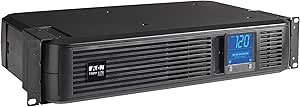 | Best for Versatile Mounting and User-Replacable Batteries | Capacity: 1500VA/900W | Outlets: 8 NEMA 5-15R | Input Power Cord: 6-foot NEMA 5-15P | VIEW ON AMAZON | See Our Full Breakdown |
| CyberPower OR500LCDRM1U Smart App LCD UPS Battery Backup |  | Best for Remote Management and Small Servers | Capacity: 500VA/300W | Outlets: 6 NEMA 5-15R | Input: 15A, NEMA 5-15P | VIEW ON AMAZON | See Our Full Breakdown |
| ups for server rack | Capacity | Outlets | Warranty | Input |
|---|---|---|---|---|
| CyberPower CP2000PFCRM2U PFC S | 2000VA/1200W | 8 NEMA 5-20R | 3 years including battery | NEMA 5-20P with six foot cord |
| CyberPower OR500LCDRM1U Smart | 500VA/300W | 6 (4 backup + surge, 2 surge only) | 3 years including batteries | 15A, NEMA 5-15P |
| CyberPower CP1500PFCRM2U PFC S | 1500VA/1000W | 8 NEMA 5-15R | 3 years including battery | — |
| Eaton Tripp Lite SMART1500LCD | 1500VA/900W | 8 NEMA 5-15R | 3 years | — |
| CyberPower OR500LCDRM1U Smart | 500VA/300W | 6 NEMA 5-15R | 3 years including batteries | 15A, NEMA 5-15P |
More Details on Our Top Picks
CyberPower CP2000PFCRM2U PFC Sinewave UPS Battery Backup
The CyberPower CP2000PFCRM2U distinguishes itself by supporting active PFC and conventional power supplies with a 2000VA/1200W capacity. Its short-depth design makes it perfect for tight rack spaces, but it limits its use to environments where rack depth is a concern. The color LCD offers detailed real-time info, and automatic voltage regulation helps prolong battery life, but it doesn’t specify backup runtime, which could matter for critical systems needing precise uptime data. Its support for active PFC supplies makes it more compatible with modern servers, yet it’s less suited for high-capacity needs or longer backup times.
Pros:- Supports active PFC and conventional power supplies
- Color LCD provides detailed real-time info
- Short-depth rackmount saves space
- Automatic voltage regulation extends battery life
Cons:- Limited backup runtime info
- Designed strictly for short-depth racks
- Requires software download for management
Best for: Space-constrained environments with active PFC power supplies
Not ideal for: Users needing extended runtime or high-capacity backup for large servers
- Capacity:2000VA/1200W
- Outlets:8 NEMA 5-20R
- Input:NEMA 5-20P with six foot cord
- Display:Color LCD panel
- Depth:10.8 inches
- Warranty:3 years including battery
Our verdict“This model offers excellent support for modern active PFC servers in space-limited racks, with tradeoffs in runtime transparency.”
CyberPower OR500LCDRM1U Smart App LCD UPS Battery Backup and Surge Protector
The CyberPower OR500LCDRM1U provides a dependable 500VA/300W backup with an LCD panel for easy status monitoring, making it ideal for small servers and telecom equipment. Its 1U rackmount form factor fits well into tight spaces, but its capacity limits it to lighter loads. Automatic voltage regulation protects equipment from power fluctuations, yet users must note the need for an optional remote management card for remote access. Its UL certification ensures safety, but the limited power capacity makes it unsuitable for larger or more power-hungry servers.
Pros:- Reliable backup with LCD status monitoring
- Automatic voltage regulation
- Multiple outlets with surge protection
- UL safety certified
Cons:- Requires optional remote management card
- Limited to 500VA capacity
- No included remote management hardware
Best for: Small server setups needing monitoring and surge protection
Not ideal for: High-capacity or long-runtime applications
- Capacity:500VA/300W
- Outlets:6 (4 backup + surge, 2 surge only)
- Form Factor:1U Rackmount
- Input:15A, NEMA 5-15P
- Warranty:3 years including batteries
- Certifications:UL
Our verdict“This UPS suits small-scale server or network setups that benefit from monitoring and surge protection, with capacity limitations to consider.”
CyberPower CP1500PFCRM2U PFC Sinewave UPS Battery Backup
The CyberPower CP1500PFCRM2U offers a solid 1500VA/1000W capacity with sine wave output, making it suitable for sensitive equipment like active PFC servers. Its short-depth rackmount design fits into space-limited racks while providing automatic voltage regulation. The color LCD provides real-time system status, and the sine wave output ensures compatibility with a wide range of electronics. While it supports essential backup needs, it’s limited in capacity for larger setups or extended outages, and remote management features are optional, not included.
Pros:- Supports active PFC power supplies with sine wave output
- Color LCD for real-time monitoring
- Short-depth design fits in tight racks
- Automatic voltage regulation extends battery life
Cons:- Limited to rackmount setups, not standalone
- No included remote management hardware
- Battery replacement after warranty may be needed
Best for: Mid-capacity backup for critical electronics in short racks
Not ideal for: High-capacity or long-duration backup needs
- Capacity:1500VA/1000W
- Output Waveform:Sinewave
- Outlets:8 NEMA 5-15R
- Input Plug:NEMA 5-15P right angle
- Cord Length:6 feet
- Warranty:3 years including battery
Our verdict“This pick balances capacity and space constraints, making it suitable for critical but not high-capacity applications.”
Eaton Tripp Lite SMART1500LCD 1500VA 2U Rack Mount UPS
The Eaton Tripp Lite SMART1500LCD provides a dependable 1500VA/900W backup suitable for small servers and network gear. Its 2U rack mount or tower design offers versatile installation options, and its large LCD display simplifies system monitoring. While it uses a modified sine wave in battery mode, which may not suit sensitive electronics, its user-replaceable batteries and Ethernet surge protection add considerable flexibility. It’s a balanced choice for smaller setups needing easy maintenance and reliable power.
Pros:- Reliable power with automatic voltage regulation
- Versatile mounting options
- Large LCD display for easy monitoring
- User-replaceable batteries
Cons:- Modified sine wave in battery mode may affect sensitive gear
- Limited to 1500VA capacity
- No included remote management hardware
Best for: Small to medium server setups with flexible mounting needs
Not ideal for: Highly sensitive electronics that require pure sine wave power
- Capacity:1500VA/900W
- Outlets:8 NEMA 5-15R
- Input Power Cord:6-foot NEMA 5-15P
- Mounting Options:2U rack or tower
- AVR Range:75V to 147V
- Warranty:3 years
Our verdict“This UPS offers flexible installation and maintenance benefits but may not be suitable for highly sensitive equipment.”
CyberPower OR500LCDRM1U Smart App LCD UPS Battery Backup
The CyberPower OR500LCDRM1U emphasizes remote management capabilities with an LCD panel and a 500VA/300W capacity, making it suitable for small servers, network gear, and telecom equipment. Its 1U rackmount form factor fits into tight spaces, and automatic voltage regulation ensures power stability. The UPS supports multiple outlets, but remote management features require an optional card, and it uses a simulated sine wave, which may not satisfy all sensitive electronics. It’s a practical choice for small setups needing monitoring and remote access.
Pros:- Reliable backup with LCD monitoring
- Automatic voltage regulation
- Multiple outlets for various devices
- Remote management via optional card
Cons:- Remote management hardware is optional
- Uses simulated sine wave output
- Limited capacity for larger loads
Best for: Small server setups with remote management needs
Not ideal for: High-capacity or critical systems requiring pure sine wave output
- Capacity:500VA/300W
- Outlets:6 NEMA 5-15R
- Input:15A, NEMA 5-15P
- Features:LCD panel, remote management (optional), AVR
- Warranty:3 years including batteries
Our verdict“This model is best suited for small-scale setups that benefit from remote management and monitoring, with some limitations on power quality.”

How We Picked
Our selection process focused on key factors like power capacity, form factor, compatibility with active PFC supplies, and management features. We prioritized models that fit typical server rack environments, balancing size with power output. Reliability, safety certifications, and user-replaceable batteries also guided our choices. To ensure practical value, we contrasted features and tradeoffs across different capacities and management options, aiming to recommend options suitable for various budgets and technical needs.
Factors to Consider When Choosing Ups For Server Rack
Selecting the ideal UPS for your server rack involves understanding your power needs, available space, and management preferences. Capacity is key—ensure the UPS can support your maximum load. Space constraints influence form factor choices, with short-depth models fitting tighter racks. Management features like LCD displays, remote monitoring, and automatic voltage regulation improve usability and protection. Consider whether your equipment requires pure sine wave output or if modified sine wave suffices. Lastly, evaluate your budget against capacity and feature sets to find the best value.Capacity and Power Needs
Determine the maximum power your server rack consumes and select an UPS with at least 20-30% extra capacity to handle surges and future upgrades. For most small to medium setups, 1500VA-2000VA models provide ample support, while smaller networks or single servers might be fine with 500VA-1000VA units. Higher capacity units tend to be larger and more expensive, so match capacity with your actual load to avoid overspending while ensuring reliable backup.
Form Factor and Space Constraints
Rackmount UPS units are available in 1U, 2U, or short-depth configurations. Short-depth models like the CyberPower CP2000PFCRM2U or CP1500PFCRM2U are ideal for tight spaces but might limit extension options or runtime. 1U models save vertical space but can be less flexible for maintenance. Always measure your rack space carefully before choosing a model to ensure it fits comfortably without obstructing airflow or access.
Management and Monitoring Features
LCD panels, remote management cards, and automatic voltage regulation are valuable features for maintaining your system. LCDs offer real-time status updates, while remote management allows you to monitor and control your UPS from afar—crucial for remote data centers. Automatic voltage regulation protects against power fluctuations, extending battery life and ensuring stable operation. Decide which features align with your operational needs and budget.
Waveform and Compatibility
Most modern servers and network gear prefer pure sine wave output, especially active PFC power supplies, which can experience issues with modified sine wave units. If your equipment is sensitive, prioritize models like the CyberPower CP1500PFCRM2U or CP2000PFCRM2U that support sine wave output. For less sensitive gear, modified sine wave units like the Eaton Tripp Lite SMART1500LCD can suffice but may cause minor performance issues or increased wear over time.
Budget and Long-Term Value
Balance your immediate budget against long-term needs. Higher capacity and advanced features typically come with higher costs, but they offer better protection and scalability. Consider the costs of battery replacements and management hardware, especially if remote monitoring is required. Investing in a slightly larger or more feature-rich UPS can reduce downtime and maintenance costs over its lifespan.
Frequently Asked Questions
What is the difference between sine wave and modified sine wave UPS units?
Sine wave UPS units produce a smooth, consistent power waveform similar to the utility supply, which is essential for sensitive electronics like active PFC servers. Modified sine wave units generate a rougher, stepped waveform that can cause increased heat, noise, or even damage to certain devices. If your server or networking equipment is sensitive or mission-critical, opting for a sine wave UPS is generally safer and more reliable.
How do I determine the right capacity for my server rack?
Start by calculating the total power draw of all devices in your rack—look at their wattage ratings. Add a margin of 20-30% to accommodate surges, future upgrades, or additional equipment. For most small to medium racks, 1500VA to 2000VA units are common. Larger or more critical setups should consider higher capacities to ensure sufficient backup time and protection, avoiding undersizing that could lead to outages during power events.
Are remote management features worth the extra cost?
Remote management features, like network-connected cards and LCD displays, can significantly simplify monitoring and maintenance, especially for remote or distributed setups. They enable you to receive alerts, run diagnostics, and shut down systems safely without physical access. While they add to the initial cost, for many users, the improved oversight and reduced risk of unnoticed failures justify the investment.
How important is battery replacement and maintenance?
Batteries in UPS units typically last 3-5 years, depending on usage and environment. User-replaceable batteries, like those in the Eaton Tripp Lite SMART1500LCD or CyberPower models, can lower long-term costs and downtime. Regular maintenance checks and timely replacement ensure your UPS remains reliable, especially during extended outages. Budgeting for battery replacements is an important part of long-term ownership.
Can these UPS units support high-capacity server racks?
Most of the models listed are designed for small to medium racks, with capacities up to 2000VA. Larger server setups typically require higher-capacity UPS systems, often in the 3000VA or above range, and may need specialized models. These smaller units are excellent for protecting core network equipment and critical servers but may not suffice for entire data centers or high-demand racks.
Conclusion
Choosing the right UPS depends heavily on your specific setup and priorities. For space-limited environments with active PFC servers, the CyberPower CP2000PFCRM2U offers robust support with a compact footprint. Small office or remote setups will benefit from the CyberPower OR500LCDRM1U or CyberPower OR500LCDRM1U, especially if remote management is a priority. For a balance of capacity and monitoring, the CyberPower CP1500PFCRM2U makes a compelling case. Larger or more sensitive systems might require higher-capacity or pure sine wave solutions, where investing in more advanced or larger models becomes necessary. Ultimately, matching your power needs, space constraints, and management features will lead you to the best choice.
As an affiliate, we earn on qualifying purchases.Halloween Picks
halloween