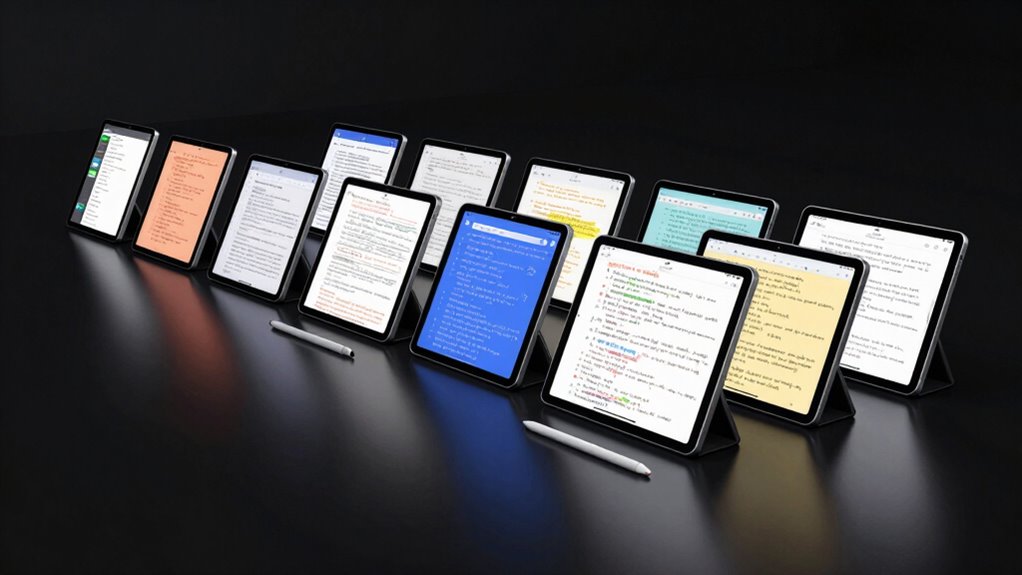

Finding the right note taking tablet with a stylus in 2026 means balancing performance, usability, and value. The reMarkable Paper Pro stands out as the overall best for its paper-like writing experience, while the Samsung Galaxy Tab S10 FE offers great versatility at a more affordable price. Buyers face tradeoffs like screen quality versus price, or advanced features versus simplicity. Continue reading for a detailed breakdown of each option to help you choose the ideal device for your needs.

Prime made for students and young adults
- Fast, free delivery for dorm and study essentials
- Prime Video and Amazon Music included
- Member-only deals
Key Takeaways
- The top models excel either in writing feel or digital versatility, rarely both at once.
- Price ranges vary widely—from budget-friendly options to premium devices with advanced features.
- Battery life and storage are often overlooked but are critical for day-to-day use.
- Stylus performance, especially pressure sensitivity and latency, significantly impacts the writing experience.
- Compatibility with other devices and ecosystem integration can enhance long-term value.
| reMarkable Paper Pro with Marker Plus and Black Leather Book Folio |  | Best Overall for Creative Professionals | Display Size: 11.8 inches | Display Type: Color e-ink | Included Components: Marker Plus, leather folio, spare tips | VIEW ON AMAZON | See Our Full Breakdown |
| XPPen 3-in-1 Color Digital Notebook 10.95” Paper Note Taking Tablet with 16384 Pressure Levels, Battery-Free X3 Pro Pencil, 6+128GB Storage |  | Best for Versatile Productivity and On-the-Go Use | Display Size: 10.95 inches | Screen Technology: AG nano-etched LCD | Pressure Sensitivity: 16K levels | VIEW ON AMAZON | See Our Full Breakdown |
| Penstar eNote 2 E-Ink Digital Notebook with Pen, 10.3″ AI eNote Tablet |  | Best for Long Battery Life and AI-Powered Organization | Display Technology: Electronic Ink | Screen Size: 10.3 inches | Resolution: 2480×1860 (300 PPI) | VIEW ON AMAZON | See Our Full Breakdown |
| Amazon Kindle Scribe (32GB) with Premium Pen – Like-New |  | Best for Reading and Annotating on a Compact Device | Display: 10.2-inch glare-free, 300 ppi | Storage Options: 16 GB, 32 GB, 64 GB | Weight: 15.3 oz | VIEW ON AMAZON | See Our Full Breakdown |
| XPPen Note Plus Digital Notebook with Pen |  | Best for Multi-Platform Compatibility and Creative Work | Compatibility: Android 10.0+ / iOS 14.0+ | Weight: 350g | Dimensions: 245×176×13mm | VIEW ON AMAZON | See Our Full Breakdown |
| Lenovo Idea Tab – 11″ 2.5K IPS Touchscreen Tablet with Pen and Folio Case |  | Best Overall for Versatile Note Taking and Entertainment | Display: 11″ 2.5K IPS touchscreen | Refresh Rate: 90Hz | Processor: MediaTek Dimensity 6300 | VIEW ON AMAZON | See Our Full Breakdown |
| Samsung Galaxy Tab S10 FE with S-Pen (128GB, 8GB, WiFi, Silver) |  | Best for Creative Productivity on the Go | Display: 10.9-inch IPS LCD, 90Hz, 1440 x 2304 | Main Camera: 13 MP, 4K@30fps | Selfie Camera: 12 MP, 4K@30fps | VIEW ON AMAZON | See Our Full Breakdown |
| Samsung Galaxy Tab S6 Lite Tablet, 10.4″ 2K, 64GB + 64GB SD Card |  | Best for Lightweight Portability and Note-Taking | Display: 10.4-inch 2K (2000 x 1200) | Processor: Exynos 1280 | Storage: 128GB (64GB + microSD) | VIEW ON AMAZON | See Our Full Breakdown |
| Samsung Galaxy Tab S10 Lite, 6GB RAM, 128GB, 2TB Expandable Storage, 10.9” LCD, Gray |  | Best for Power Users Requiring Extensive Storage | Display: 10.9-inch LCD | RAM: 6GB | Internal Storage: 128GB | VIEW ON AMAZON | See Our Full Breakdown |
| Amazon Kindle Scribe (64GB) – Digital Notebook with Premium Pen |  | Best for Long-Form Writing and Document Markup | Display: 10.2 inch, 300 ppi glare-free | Storage Options: 16 GB, 32 GB, 64 GB | Weight: 15.3 oz | VIEW ON AMAZON | See Our Full Breakdown |
| reMarkable Paper Pro with Marker Plus |  | Best for Paper-Like Writing and Reading Experience | Display Size: 11.8 inches | Display Type: Color e-ink | Included Components: Paper Pro, Marker Plus, 6 spare tips, USB-C | VIEW ON AMAZON | See Our Full Breakdown |
| TCL NXTPAPER 11 Plus Android Tablet, 11.5″ 2.2K 120Hz Display, 8GB RAM, 256GB Storage |  | Best for Versatile Note Taking and Drawing on a High-Res Screen | Display: 11.5-inch 2.2K 120Hz | Processor: MTK Helio G100 | RAM: 8GB | VIEW ON AMAZON | See Our Full Breakdown |
| note taking tablets with stylu | Battery Life | Display |
|---|---|---|
| reMarkable Paper Pro with Mark | — | — |
| XPPen 3-in-1 Color Digital Not | — | — |
| Penstar eNote 2 E-Ink Digital | Up to 4 weeks | — |
| Amazon Kindle Scribe | Up to 12 weeks | 10.2-inch glare-free, 300 ppi |
| XPPen Note Plus Digital Notebo | 14 hours continuous | — |
| Lenovo Idea Tab | Up to 12 hours | 11" 2.5K IPS touchscreen |
| Samsung Galaxy Tab S10 FE with | — | 10.9-inch IPS LCD, 90Hz, 1440 x 2304 |
| Samsung Galaxy Tab S6 Lite Tab | 14 hours | 10.4-inch 2K (2000 x 1200) |
| Samsung Galaxy Tab S10 Lite | Up to 16 hours | 10.9-inch LCD |
| Amazon Kindle Scribe | Up to 12 weeks for reading | 10.2 inch, 300 ppi glare-free |
| reMarkable Paper Pro with Mark | — | — |
| TCL NXTPAPER 11 Plus Android T | — | 11.5-inch 2.2K 120Hz |
More Details on Our Top Picks
reMarkable Paper Pro with Marker Plus and Black Leather Book Folio
The reMarkable Paper Pro stands out for its color e-ink display that offers a natural writing and reading experience, making it a top choice for those who prioritize the feel of paper. Compared to devices like the XPPen 3-in-1, it emphasizes a paper-like aesthetic over versatility, but lacks multimedia capabilities and detailed performance specs. Its included leather folio and multiple tips enhance durability and flexibility, though its price may be a barrier for budget-conscious users. This tablet is ideal for creatives and professionals who need a dedicated, paper-like device for reading and note-taking without distractions from multimedia features.Pros:- Color e-ink display offers a paper-like feel for writing and reading
- Includes protective leather folio and multiple spare tips
- Adjustable reading light and low-glare screen for day or night use
- Organize notes with folders, tags, and handwriting conversion
Cons:- Limited to e-ink technology, not suitable for multimedia or vibrant displays
- Price may be high for casual users or those on a budget
- Lack of detailed battery life and performance metrics
Best for: Creative professionals and students seeking a paper-like digital note-taking experience with excellent organization tools.
Not ideal for: Users who want a versatile multimedia tablet or require color-rich media editing, as the e-ink display limits color and multimedia use.
- Display Size:11.8 inches
- Display Type:Color e-ink
- Included Components:Marker Plus, leather folio, spare tips
- Connectivity:Wi-Fi, USB
- Warranty:1-Year Limited
- Intended Use:Business, Creative, Student
Our verdict“This device makes the most sense for professionals and creatives who need a dedicated, paper-like note-taking device without multimedia distractions.”
XPPen 3-in-1 Color Digital Notebook 10.95” Paper Note Taking Tablet with 16384 Pressure Levels, Battery-Free X3 Pro Pencil, 6+128GB Storage
The XPPen 3-in-1 combines a 10.95-inch LCD with paper-like texture and Android ecosystem support, making it ideal for users who want a flexible device for note-taking, reading, and remote meetings. Its high refresh rate and 16K pressure sensitivity deliver precise, natural writing, outperforming the Penstar eNote 2 in terms of stylus responsiveness. Unlike the reMarkable, it supports multimedia and apps, but its narrower viewing angles and system complexity can be drawbacks. The device’s portability and extensive app support suit students, professionals, or anyone needing a multi-purpose digital notebook that can handle more than just notes.Pros:- High-quality paper-like LCD reduces eye strain and glare
- Stylus with 16K pressure sensitivity for precise annotation
- Supports multiple productivity and learning apps via Android
- Lightweight at 495g for easy portability
Cons:- Narrow viewing angles can affect visibility from certain angles
- Performance may slow when running multiple apps simultaneously
- Requires system update to access advanced features
Best for: Students and professionals who need a portable, Android-based device for writing, reading, and multitasking.
Not ideal for: Users seeking a dedicated paper-like reading device with minimal distractions, as the system’s complexity may be overwhelming and viewing angles limited.
- Display Size:10.95 inches
- Screen Technology:AG nano-etched LCD
- Pressure Sensitivity:16K levels
- Storage:6GB RAM + 128GB
- Battery:8000mAh
- Operating System:Android 14
Our verdict“This pick makes the most sense for tech-savvy users who want a versatile, Android-based note-taking device for work and study.”
Penstar eNote 2 E-Ink Digital Notebook with Pen, 10.3″ AI eNote Tablet
The Penstar eNote 2 impresses with its high-resolution e-ink display that feels like paper, making it a strong choice for those who prioritize reading and natural writing. Unlike the more versatile XPPen, it focuses on AI-assisted note organization and voice-to-text, which helps streamline workflow for students or professionals. Its lack of a touch screen limits interactions, and the price point is higher, reflecting its specialized features. The long battery life of up to 4 weeks makes it suitable for extended use without frequent charging, but it may require familiarity with e-ink interfaces to maximize productivity.Pros:- High-resolution, paper-like e-ink display for comfort
- Supports extensive file formats and third-party apps
- Long battery life up to 4 weeks
- AI-powered note organization and voice-to-text features
Cons:- No touch screen layer, limiting interaction modes
- Relatively high price for an e-ink device
- Requires familiarity with e-ink devices for optimal use
Best for: Students and professionals who want a dedicated e-ink device for long-term note-taking and reading with AI support.
Not ideal for: Users needing multimedia support or touchscreen interactions, as the device lacks a touch layer and is optimized for reading and writing.
- Display Technology:Electronic Ink
- Screen Size:10.3 inches
- Resolution:2480×1860 (300 PPI)
- Stylus:8,192 levels, no charging needed
- Battery Life:Up to 4 weeks
- Operating System:Android 14
Our verdict“This device suits users who want a long-lasting, paper-like reading and note-taking experience with smart organization features.”
Amazon Kindle Scribe (32GB) with Premium Pen – Like-New
The Kindle Scribe 32GB offers a 10.2-inch glare-free display with a pen that mimics pen on paper, making it an excellent choice for avid readers who want to annotate and take notes without sacrificing portability. Compared with the reMarkable, it benefits from Amazon’s extensive ecosystem and AI tools for note summaries, but being a refurbished product means it may lack the latest packaging or accessories. Its long battery life and broad format support make it appealing for those who need a device for both reading and light note-taking, though it’s less customizable than Android-powered options like the XPPen 3-in-1.Pros:- High-resolution 10.2-inch glare-free display ideal for reading
- Premium Pen provides a natural writing experience
- Long battery life lasting weeks on a single charge
- Supports importing and annotating various document formats
Cons:- Refurbished device may come in basic packaging
- Limited to Wi-Fi, no cellular connectivity
- Less customizable for complex workflows compared to Android devices
Best for: Readers and light note-takers who want a compact, easy-to-use device for reading, annotating, and occasional note-taking.
Not ideal for: Power users seeking advanced note organization or multimedia features, as the device’s functionality centers on reading and basic annotations.
- Display:10.2-inch glare-free, 300 ppi
- Storage Options:16 GB, 32 GB, 64 GB
- Weight:15.3 oz
- Supported Formats:AZW3, PDF, EPUB, JPEG, GIF, etc.
- Battery Life:Up to 12 weeks
- Connectivity:Wi-Fi 5, Bluetooth 5.2
Our verdict“This device makes the most sense for readers who want a portable, annotation-capable device for reading and light note-taking.”
XPPen Note Plus Digital Notebook with Pen
The XPPen Note Plus excels in delivering a seamless Bluetooth 5.3 connection and real paper feel with its dedicated ink pen, making it a solid choice for those who value natural handwriting and cross-platform sharing. Its long battery life and flexible note management outperform the Penstar eNote 2, especially for users who prefer a larger writing surface and easy sharing via Bluetooth. However, it is limited to A5 paper size and requires compatible refill cores, which could be inconvenient for some. Its slim design and long use hours make it suitable for on-the-go productivity and creative work, especially for users who prefer physical paper over digital screens.Pros:- Stable Bluetooth 5.3 connection for reliable syncing
- Real paper experience with dedicated ink pen
- Long battery life for all-day use
- Supports flexible note management and sharing
Cons:- Limited to A5 paper size, restricting note size options
- Requires compatible refill cores for the pen
- Some users may prefer a full digital screen for ease of use
Best for: Creative professionals and students who want a portable, cross-platform digital notebook with a genuine paper experience.
Not ideal for: Those needing a larger display or multimedia features, as the device is limited to A5 size and designed primarily for handwritten notes and sketches.
- Compatibility:Android 10.0+ / iOS 14.0+
- Weight:350g
- Dimensions:245×176×13mm
- Battery Capacity:1000mAh
- Battery Life:14 hours continuous
- Pressure Sensitivity:8192 levels
Our verdict“This device is ideal for users who want a portable, paper-like note-taking experience with reliable Bluetooth connectivity and cross-platform sharing.”
Lenovo Idea Tab – 11″ 2.5K IPS Touchscreen Tablet with Pen and Folio Case
The Lenovo Idea Tab stands out for its high-resolution 2.5K display and smooth 90Hz refresh rate, delivering crisp visuals that are ideal for both note-taking and media consumption. Compared with the Samsung Galaxy Tab S6 Lite, it offers a larger screen and longer battery life, though its 4 GB RAM might limit multitasking performance. The included stylus and folio case add convenience, making it a solid choice for students who want a device that balances work and play. However, the processor may struggle with intensive tasks, and the lack of expandable storage could be a concern for heavy users.
Pros:- High-resolution 2.5K display with vibrant visuals
- Includes stylus and folio case for versatility
- Long-lasting battery suitable for all-day use
- Immersive quad Dolby Atmos speakers
Cons:- Limited to 4 GB RAM, may affect multitasking
- Processor may not handle heavy gaming or intensive apps
- No expandable storage option
Best for: Students and casual users seeking a well-rounded device for study and entertainment
Not ideal for: Power users needing intensive multitasking or gaming, due to limited RAM and processing power
- Display:11″ 2.5K IPS touchscreen
- Refresh Rate:90Hz
- Processor:MediaTek Dimensity 6300
- Memory:4 GB RAM
- Storage:128 GB
- Battery Life:Up to 12 hours
Our verdict“This tablet suits those who want a high-quality display with good battery life for everyday multimedia and note-taking needs.”
Samsung Galaxy Tab S10 FE with S-Pen (128GB, 8GB, WiFi, Silver)
The Samsung Galaxy Tab S10 FE excels with its 10.9-inch display and included S Pen, supporting precise note-taking and creative tasks. Its 90Hz refresh rate ensures smooth visual performance, comparable to the Lenovo Idea Tab, but with the added benefit of an IP68 rating for water and dust resistance. This makes it especially suitable for users who need a durable device for outdoor use. Unlike the Galaxy Tab S6 Lite, it offers more RAM and a larger display, yet it lacks cellular options, limiting connectivity to WiFi only. The battery capacity supports long sessions, but heavy users may need frequent recharges.
Pros:- Large, vibrant 10.9-inch display with 90Hz refresh rate
- Includes S Pen for precise notes and sketches
- IP68 water and dust resistance for durability
- Powerful performance with Exynos processor
Cons:- WiFi-only model limits connectivity options
- Battery may require frequent charging with intensive use
- No cellular connectivity available
Best for: Mobile professionals and students who prioritize durability and creative features
Not ideal for: Those needing cellular connectivity or a more budget-friendly option, as it is WiFi-only and premium-priced
- Display:10.9-inch IPS LCD, 90Hz, 1440 x 2304
- Main Camera:13 MP, 4K@30fps
- Selfie Camera:12 MP, 4K@30fps
- Battery:8000 mAh, 45W wired charging
- Water Resistance:IP68
- Processor:Exynos 1580
Our verdict“This tablet is ideal for users who need a durable device with creative tools for mobile productivity and note-taking.”
Samsung Galaxy Tab S6 Lite Tablet, 10.4″ 2K, 64GB + 64GB SD Card
The Galaxy Tab S6 Lite offers a balanced mix of portability and features, with a 10.4-inch 2K display that provides vibrant visuals for reading and writing. Its included S Pen supports precise note-taking, similar to the Galaxy Tab S10 FE but in a more compact form. The device’s lightweight design makes it perfect for students or commuters. Compared to larger tablets, it sacrifices some screen real estate but gains in ease of use and comfort. The absence of a charger in the box is a drawback, and its limited processing power may be less suited for demanding tasks.
Pros:- Lightweight and portable for on-the-go use
- Includes S Pen for precise note-taking
- High-quality 2K display with vibrant visuals
- Expandable storage with microSD card slot
Cons:- Charger not included, requiring additional purchase
- Limited processing power for intensive tasks
- No cellular connectivity option
Best for: Students and casual note-takers seeking a portable, affordable tablet
Not ideal for: Heavy multitaskers or users who require high processing power for complex apps
- Display:10.4-inch 2K (2000 x 1200)
- Processor:Exynos 1280
- Storage:128GB (64GB + microSD)
- Battery Life:14 hours
- Included Accessories:S Pen
- Security:Samsung Knox
Our verdict“This device is well-suited for students and casual users prioritizing portability and note-taking at an affordable price.”
Samsung Galaxy Tab S10 Lite, 6GB RAM, 128GB, 2TB Expandable Storage, 10.9” LCD, Gray
The Galaxy Tab S10 Lite offers a sizable 10.9-inch LCD display and a responsive S Pen, making it a strong choice for both note-taking and multimedia. Its 6GB RAM provides better multitasking compared to the S6 Lite, and the optional microSD card slot supports up to 2TB of additional storage—ideal for users with extensive files or creative projects. The device’s long 16-hour battery life supports extended sessions. While it provides impressive storage flexibility, its price may be prohibitive for casual users, and some features depend on compatible accessories, which adds to the overall cost.
Pros:- Large 10.9-inch LCD with vivid display
- Responsive S Pen for precise note-taking and drawing
- Expandable storage up to 2TB
- Long battery life up to 16 hours
Cons:- Price may be high for casual users
- Some features require compatible accessories
- Heavier and larger than smaller tablets
Best for: Power users and professionals who need extensive storage and smooth multitasking
Not ideal for: Budget-conscious buyers or those who prefer a smaller, more lightweight device
- Display:10.9-inch LCD
- RAM:6GB
- Internal Storage:128GB
- Expandable Storage:Up to 2TB via microSD
- Battery Life:Up to 16 hours
- Processor:Exynos 1380
Our verdict“This tablet makes the most sense for those who need high storage capacity and powerful multitasking performance.”
Amazon Kindle Scribe (64GB) – Digital Notebook with Premium Pen
The Kindle Scribe distinguishes itself with its 10.2-inch glare-free display, providing a comfortable reading and writing experience similar to traditional paper. Its AI-powered tools for handwriting conversion and note summarization add productivity value, making it a strong contender in the digital note-taking space. Compared to the Samsung Galaxy Tab models, the Kindle Scribe emphasizes writing and annotation over multimedia, but its premium pen, while not requiring charging, can be easily lost. The long battery life and document import capabilities appeal to those who focus on reading and long-form notes, though its limited app ecosystem may restrict certain workflows.
Pros:- Large, glare-free display suitable for reading and writing
- Long battery life supports extended use
- AI tools for handwriting conversion and note summarization
- Supports importing and marking up various document formats
Cons:- Premium Pen may be lost or damaged since it requires no charging
- Lacks cellular connectivity options
- Limited app ecosystem compared to tablets with full OS
Best for: Authors, researchers, and professionals focused on long-form writing and document annotation
Not ideal for: Users seeking multimedia features or gaming, as it prioritizes writing and reading
- Display:10.2 inch, 300 ppi glare-free
- Storage Options:16 GB, 32 GB, 64 GB
- Weight:15.3 oz
- Connectivity:Wi-Fi 5, Bluetooth 5.2
- Supported Formats:PDF, EPUB, MOBI, DOCX, etc.
- Battery Life:Up to 12 weeks for reading
Our verdict“This device is best suited for users who prioritize long-form writing, reading, and document annotation over multimedia capabilities.”
reMarkable Paper Pro with Marker Plus
The reMarkable Paper Pro stands out for its large 11.8-inch color e-ink display, which offers a more versatile and paper-like experience compared to monochrome options like the Penstar eNote 2. Its adjustable reading light and low-glare screen make it ideal for both day and night use, especially for users who prioritize reading and note organization. However, the e-ink technology limits multimedia capabilities, making it less suited for video or graphic-intensive tasks. The device’s focus on handwriting conversion and note management makes it a strong choice for writers and students, but it comes at a potentially higher price point. Compared with the TCL NXTPAPER 11 Plus, it lacks the high refresh rate and fast performance, which might matter for those who want more fluid interaction or faster multitasking. The Paper Pro’s strengths lie in a true paper-like feel, note organization, and reading comfort, but it sacrifices multimedia versatility and may require some learning curve for new users.
Pros:- Large 11.8-inch color e-ink display for versatile use
- Paper-like writing experience with included Marker Plus
- Adjustable reading light for comfortable day or night reading
- Supports note organization and handwriting conversion
Cons:- Limited to e-ink display technology, which isn’t ideal for multimedia
- Price may be high for some users
- Requires familiarity with digital note-taking tools
Best for: Writers, students, or professionals who value a natural writing feel and organized note workflows.
Not ideal for: Multimedia enthusiasts or users who need a color display for graphic-heavy work or fast-paced browsing.
- Display Size:11.8 inches
- Display Type:Color e-ink
- Included Components:Paper Pro, Marker Plus, 6 spare tips, USB-C
- Connectivity:USB-C, Wi-Fi, Bluetooth
- Warranty:1-year limited
- Model Year:2024
Our verdict“This device is perfect for users seeking a natural handwriting experience and organized reading and note-taking, rather than multimedia capabilities.”
TCL NXTPAPER 11 Plus Android Tablet, 11.5″ 2.2K 120Hz Display, 8GB RAM, 256GB Storage
The TCL NXTPAPER 11 Plus offers a sharp 11.5-inch 2.2K display with 120Hz refresh rate, making it ideal for users who want smooth drawing and note-taking alongside reading. Its stylus with 4096 pressure levels enables precise input, surpassing the simpler stylus of the reMarkable Paper Pro for detailed sketches and notes. The device’s Android platform allows access to a wide range of apps, unlike the dedicated e-ink devices, making it more adaptable for multitasking. However, it lacks microSD card support, and the charger isn’t included, which could add to the overall cost. Its lightweight, slim design and large storage make it well-suited for on-the-go productivity, but performance might slow with heavy multitasking. While the Paper Pro excels in paper-like writing, this tablet’s high-resolution screen and multitasking capabilities make it better suited for users who want a hybrid device for drawing, reading, and note-taking.
Pros:- High-resolution 2.2K display with eye care technology
- Stylus with 4096 pressure sensitivity for detailed input
- Fast 120Hz refresh rate for smooth drawing and navigation
- Large 256GB storage capacity for files and apps
Cons:- No microSD card support, limiting expandable storage
- Charger not included, adding to initial cost
- Performance may vary with intensive multitasking
Best for: Artists, students, and professionals needing a high-resolution display with precise stylus input for versatile note-taking and drawing.
Not ideal for: Users seeking a dedicated e-ink experience or those who prefer a device with a built-in reading focus without Android app access.
- Display:11.5-inch 2.2K 120Hz
- Processor:MTK Helio G100
- RAM:8GB
- Storage:256GB
- Battery:8000mAh
- Stylus:4096 pressure levels T-PEN
Our verdict“This tablet is ideal for users who want a versatile, high-res device for drawing, note-taking, and reading on the go, with a preference for Android flexibility.”
How We Picked
These products were evaluated based on key factors like writing and drawing performance, display quality, build durability, battery life, and overall value. We prioritized devices that balance usability with affordability, ensuring they meet the needs of casual note-takers, students, and professionals alike. Our ranking reflects a mix of expert reviews, user feedback, and feature relevance, aiming to highlight options that excel in different categories while maintaining practical tradeoffs. Devices with significant compromises or niche appeal were rated lower to guide readers toward versatile, reliable choices.Factors to Consider When Choosing Note Taking Tablets With Stylus
Choosing the right note taking tablet with stylus involves considering several factors beyond just specs. Understanding what features matter most for your use case can prevent costly mistakes and ensure a satisfying experience. The following factors will help clarify what to prioritize based on your needs, whether you’re a student, a professional, or a casual user.Display Quality and Size
A clear, high-resolution display enhances readability and writing comfort, especially for long sessions. Larger screens provide more space for notes and sketches but can reduce portability. Consider your typical note-taking environment—if you move around frequently, a more compact device might be better, but if detailed drawing or extensive writing is a priority, a larger display can be worth the tradeoff.
Stylus Performance and Compatibility
The stylus quality—pressure sensitivity, tilt support, and latency—directly influences the writing feel. A responsive, low-latency stylus mimics pen-on-paper more closely, which is vital for writers and artists. Compatibility with the device’s operating system and features like palm rejection should also be checked to avoid frustrations during extended use.
Battery Life and Storage
Long battery life ensures your device can last through entire work sessions or travel without frequent charging. Storage capacity matters if you plan to keep many notes, PDFs, or media files on the device. Cloud integration can offset storage concerns but may depend on a reliable internet connection. Always balance these factors against your typical usage patterns.
Build Quality and Ecosystem
A sturdy build prevents damage during daily handling, especially if you carry the device around often. Ecosystem compatibility—such as integration with your existing devices or apps—adds convenience and can streamline your workflow. Consider whether you prefer an open Android-based system or a dedicated e-ink device with a simplified interface.
Price and Overall Value
While premium devices offer advanced features and superior writing experiences, they come at a higher cost. Budget options may suffice for basic note-taking but often lack advanced stylus features or display quality. Assess your budget against the features that matter most to ensure you’re investing in a device that meets your needs without unnecessary extras.
Frequently Asked Questions
Can I use a stylus from one device on another?
Most styluses are designed to work only with specific devices or operating systems, especially those with active stylus technology like Wacom or Apple Pencil equivalents. Using a stylus on incompatible devices often results in limited or no functionality. It’s best to choose a stylus recommended by the device manufacturer to ensure full compatibility and optimal performance.
Is an e-ink display better for note-taking than an LCD?
Electronic ink (e-ink) displays excel in mimicking paper, reducing eye strain, and extending battery life, making them appealing for extended reading and writing. However, they typically lack color, fast refresh rates, and multitouch features found in LCD screens. For active note-taking, especially with color or multimedia, LCD-based tablets tend to be more versatile, though they may consume more power and cause eye fatigue over time.
Should I prioritize stylus pressure sensitivity or latency?
Both features significantly impact your writing experience, but if you have to choose, lower latency usually provides a more immediate, natural feel, especially for quick note-taking. High pressure sensitivity benefits artists or detailed sketching, but for general notes, responsiveness and minimal lag are more noticeable and improve overall usability.
Are premium tablets worth the extra cost?
Premium tablets tend to offer better build quality, more accurate stylus performance, and higher-quality displays, which enhance the writing experience. If you rely heavily on note-taking or creative work, investing in a higher-end device can be justified. However, for casual use or light note-taking, more affordable options often deliver satisfactory performance at a lower price point.
Can I replace traditional notebooks with a note taking tablet?
While a note taking tablet can replicate many aspects of paper notebooks, it may not fully replace the tactile feel or simplicity of physical paper for everyone. Digital devices offer advantages like searchability, backup, and editing, but some users prefer the familiar feel of pen on paper. Consider your personal workflow and whether the digital features outweigh the tactile experience for your needs.
Conclusion
For those who prioritize the most authentic writing experience, the reMarkable Paper Pro remains the best overall choice. If you’re seeking a device with great versatility at a more accessible price, the Samsung Galaxy Tab S10 FE is highly recommended. Beginners or casual users will find the Amazon Kindle Scribe straightforward and budget-friendly, while professionals needing advanced features might opt for the Lenovo Idea Tab or the XPPen 3-in-1 Notebook. Ultimately, your selection should match your specific use case, budget, and preferred ecosystem—this guide aims to steer you toward the best fit.
As an affiliate, we earn on qualifying purchases.Halloween Picks

Gemmy Bluey Family Halloween Inflatable Scene, 5.5 ft Lighted Yard Decoration

10 ft Halloween Inflatable Archway with Built-in LEDs

12.5-Foot Lighted Halloween Inflatable Archway