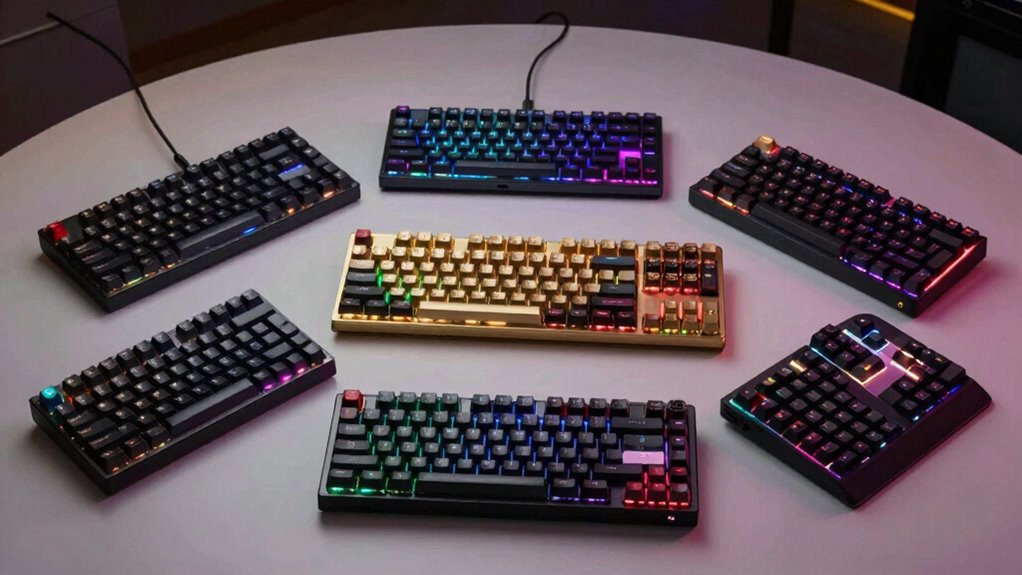

Choosing a premium mechanical keyboard for writing means balancing build quality, typing comfort, and features that boost productivity. The Keychron Q6 Ultra stands out for its high responsiveness and customization, making it ideal for serious writers who value speed and durability. Meanwhile, the Logitech MX Mechanical offers smart backlighting and multi-device support, perfect for multi-taskers in versatile environments. For those seeking a nostalgic aesthetic combined with tactile feedback, the Keychron C2 provides a retro look with reliable Brown switches. The Keychron K10 HE introduces magnetic Hall Effect switches for enhanced durability, appealing to writers who want cutting-edge tech. Finally, the Logitech Alto Keys K98M offers a compact, vibration-absorbing design with long battery life for writers seeking a balance of comfort and portability. Each of these options trades off some features—such as price, layout size, or wireless complexity—so understanding your priorities will guide the best choice.

Prime made for students and young adults
- Fast, free delivery for dorm and study essentials
- Prime Video and Amazon Music included
- Member-only deals
Key Takeaways
- Premium mechanical keyboards for writers emphasize build quality, comfort, and responsiveness.
- Wireless options like Keychron Q6 Ultra and Logitech MX provide flexibility but often come at higher costs.
- Switch types and layout sizes significantly influence typing feel and workspace compatibility.
- Customization features vary, with some models offering extensive programmability and others focusing on simplicity.
- Tradeoffs include price premiums, setup complexity, and feature sets tailored to specific writing needs.
| Keychron Q6 Ultra 8K Full-Size Wireless Mechanical Keyboard, Aluminum Black |  | Best Overall for Speed and Customization | Connectivity: 2.4 GHz, Bluetooth 5.3, USB-C | Polling Rate: 8000 Hz | Switch Type: Tactile Silk POM | VIEW ON AMAZON | See Our Full Breakdown |
| Logitech Alto Keys K98M Wireless Mechanical Gasket Keyboard – Graphite |  | Best for Comfort and Multi-Device Productivity | Connectivity: Bluetooth, Logi Bolt USB Receiver | Backlighting: White non-RGB | Number of Keys: 98 + Numpad | VIEW ON AMAZON | See Our Full Breakdown |
| Keychron C2 Full Size Wired Mechanical Keyboard, Brown Switch, Retro |  | Best for Aesthetic and Reliability | Number of Keys: 104 | Switch Type: Brown Tactile | Connectivity: Wired USB Type-C | VIEW ON AMAZON | See Our Full Breakdown |
| Keychron K10 HE Full-Size Hall Effect Wireless Keyboard | 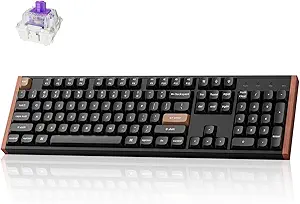 | Best for Durability and Cutting-Edge Tech | Layout: Full-Size (104 keys) | Connectivity: Tri-Mode (Bluetooth 5.2, 2.4 GHz, USB-C) | Switch Type: Hall Effect Magnetic | VIEW ON AMAZON | See Our Full Breakdown |
| Logitech MX Mechanical Wireless Illuminated Performance Keyboard |  | Best for Ergonomics and Multi-Device Workflow | Weight: 29.2 oz (828 g) | Dimensions: 1.02 x 17.08 x 5.18 in | Battery: Rechargeable Li-Po 1500 mAh | VIEW ON AMAZON | See Our Full Breakdown |
| mechanical keyboards for writers premium | Connectivity | Switch Type | Number of Keys | Material |
|---|---|---|---|---|
| Keychron Q6 Ultra 8K Full-Size | 2.4 GHz, Bluetooth 5.3, USB-C | Tactile Silk POM | 104 | — |
| Logitech Alto Keys K98M Wirele | Bluetooth, Logi Bolt USB Receiver | Marble Switches | 98 + Numpad | — |
| Keychron C2 Full Size Wired Me | Wired USB Type-C | Brown Tactile | 104 | ABS |
| Keychron K10 HE Full-Size Hall | Tri-Mode (Bluetooth 5.2, 2.4 GHz, USB-C) | Hall Effect Magnetic | — | Aluminum and wood frame |
| Logitech MX Mechanical Wireles | Bluetooth, Logi Bolt | — | — | Recycled plastic (45%) |
More Details on Our Top Picks
Keychron Q6 Ultra 8K Full-Size Wireless Mechanical Keyboard, Aluminum Black
The Keychron Q6 Ultra 8K excels for writers who need an all-around premium keyboard that combines durability with high responsiveness. Its all-metal construction offers a sturdy typing experience, while the 8000Hz polling rate ensures ultra-quick feedback—ideal for fast, accurate typing. The hot-swappable Silk POM switches give users the flexibility to customize their feel without soldering, making it perfect for those who want a durable and adaptable tool. Compared with other wireless models, it supports multiple connection types, including Bluetooth 5.3 and 2.4 GHz, reducing lag and increasing reliability. The main tradeoff is its premium price and larger footprint, which might be less suitable for limited space or budget-conscious writers.
Pros:- Ultra-responsive 8000Hz polling rate for minimal input lag
- Hot-swappable Silk POM switches for customization and longevity
- Versatile connectivity options including Bluetooth 5.3 and 2.4 GHz
- Robust all-metal frame for durability
Cons:- Premium price point may be prohibitive for some
- Full-size layout can be bulky for small desks
- Requires some technical knowledge for switch customization
Best for: Writers who want a high-performance, customizable, wireless keyboard with a focus on speed and build quality
Not ideal for: Writers on a tight budget or those with limited desk space who prefer a compact layout
- Connectivity:2.4 GHz, Bluetooth 5.3, USB-C
- Polling Rate:8000 Hz
- Switch Type:Tactile Silk POM
- Key Layout:QWERTY
- Number of Keys:104
- Backlighting:RGB
Our verdict“The Keychron Q6 Ultra is best suited for writers who demand speed, durability, and customization at a premium price.”
Logitech Alto Keys K98M Wireless Mechanical Gasket Keyboard – Graphite
The Logitech Alto Keys K98M offers a compact form factor with a gasket mount design, absorbing vibrations and providing satisfying keystrokes—ideal for writers who spend long hours typing. Its 12-month battery life and multi-device Bluetooth connectivity make it a flexible choice for multi-tasking across devices. Unlike the Q6 Ultra, it features non-RGB white backlighting, which simplifies customization but limits aesthetic flair. It’s best suited for writers who prioritize comfort and long-term usability over flashy lighting options. The need for an app to program keys can be a hurdle for some, but the overall build quality and comfort make it a standout for everyday writing tasks.
Pros:- Vibration-absorbing gasket mount for satisfying keystrokes
- Up to 12 months of battery life for extended use
- Customizable action keys for productivity
- Multi-device connectivity via Bluetooth and Logi Bolt
Cons:- Limited to white non-RGB backlighting
- Requires app for key customization, adding complexity
- Compact layout can reduce key size and function access
Best for: Writers seeking a comfortable, portable, multi-device keyboard with long battery life
Not ideal for: Users who want RGB lighting or prefer wired setups for simplicity
- Connectivity:Bluetooth, Logi Bolt USB Receiver
- Backlighting:White non-RGB
- Number of Keys:98 + Numpad
- Switch Type:Marble Switches
- Battery Life:Up to 12 months
- Compatibility:Windows, macOS
Our verdict“The Logitech Alto Keys K98M is ideal for writers who value comfort, portability, and multi-device flexibility over flashy lighting or wireless complexity.”
Keychron C2 Full Size Wired Mechanical Keyboard, Brown Switch, Retro
The Keychron C2 combines a retro aesthetic with solid tactile Brown switches, making it perfect for writers who enjoy a vintage look paired with dependable feel. As a wired-only model, it offers a straightforward, plug-and-play experience, reducing setup complexity. Its ergonomic design with adjustable feet and included extra keycaps for Mac and Windows broadens its versatility. Compared to wireless options, it sacrifices mobility but gains stability and simplicity, appealing to writers who prefer a classic look and tactile feedback. The non-backlit design means it’s less suited for low-light environments, but its durable switches and aesthetic appeal compensate for this.
Pros:- Retro-inspired aesthetic suitable for various environments
- Durable Brown switches with up to 50 million keystrokes
- Ergonomic with adjustable feet for comfortable typing
- Includes extra keycaps for Mac and Windows
Cons:- Lacks backlit lighting for low-light conditions
- Limited to wired connection, reducing mobility
- Num Lock functionality only works with Windows
Best for: Writers seeking a reliable, aesthetically pleasing wired keyboard with tactile feedback
Not ideal for: Those who prefer wireless convenience or need backlighting for late-night work
- Number of Keys:104
- Switch Type:Brown Tactile
- Connectivity:Wired USB Type-C
- Compatible Devices:Computer, Laptop
- Water Resistance:Not Water Resistant
- Material:ABS
Our verdict“The Keychron C2 offers a classic, dependable typing experience with a vintage vibe, best for writers who prioritize aesthetics and reliability over wireless features.”
Keychron K10 HE Full-Size Hall Effect Wireless Keyboard
The Keychron K10 HE stands out for its magnetic Hall Effect switches, offering unmatched durability and responsiveness. Its tri-mode connectivity—Bluetooth, 2.4 GHz, and wired—provides flexibility for a multi-device writer. The magnetic switches allow for customizable actuation points, catering to different typing preferences, and its sleek aluminum and wood frame adds an elegant touch. However, the setup process may be more complex, and limited information on battery life makes it less straightforward for everyday use. This model is best for writers interested in the latest switch technology and exceptional longevity, though at a higher price point.
Pros:- Magnetic Hall Effect switches for durability and responsiveness
- Tri-mode connectivity for versatility
- Sleek design with premium materials like aluminum and wood
- Customizable actuation points
Cons:- Complex setup process may require technical adjustments
- Higher price due to premium features
- Limited info on battery life in description
Best for: Writers eager to explore advanced switch technology with durability and multi-device support
Not ideal for: Casual writers or those on a tight budget, given the premium features and setup complexity
- Layout:Full-Size (104 keys)
- Connectivity:Tri-Mode (Bluetooth 5.2, 2.4 GHz, USB-C)
- Switch Type:Hall Effect Magnetic
- Compatibility:macOS, Windows, Linux
- Keycaps:Double-shot PBT
- Material:Aluminum and wood frame
Our verdict“The Keychron K10 HE is an innovative choice for writers seeking cutting-edge tech and durability, accepting some setup and price tradeoffs.”
Logitech MX Mechanical Wireless Illuminated Performance Keyboard
The Logitech MX Mechanical offers a refined, low-profile mechanical feel with smart backlit illumination that adapts to your environment. Its low-profile keys reduce fatigue during long writing sessions, while multi-device support via Bluetooth and Logi Bolt enables seamless switching between work and personal devices. The backlighting is intelligent but requires Logi Options+ for full customization, which may be a hassle for some users. The overall design emphasizes ergonomics and workflow efficiency, making it well-suited for writers who want a premium, versatile wireless keyboard, though it may not satisfy those seeking a traditional or ultra-mechanical feel.
Pros:- Wireless multi-device support for seamless workflow
- Smart backlit illumination adjusts to ambient light
- Low-profile keys offer comfortable, precise typing
- High-quality build with sleek design
Cons:- Full customization requires Logi Options+ software
- Not compatible with Logitech Unifying receivers
- Battery life varies based on usage
Best for: Writers prioritizing ergonomic comfort, multi-device support, and adaptive lighting
Not ideal for: Users who prefer traditional high-profile mechanical keys or do not want to install software
- Weight:29.2 oz (828 g)
- Dimensions:1.02 x 17.08 x 5.18 in
- Battery:Rechargeable Li-Po 1500 mAh
- Connectivity:Bluetooth, Logi Bolt
- Key Switches:Tactile, Quiet, or Linear
- Material:Recycled plastic (45%)
Our verdict“The Logitech MX Mechanical is ideal for writers seeking an ergonomic, versatile wireless keyboard with adaptive lighting and multi-device flexibility.”

How We Picked
Our selection process focused on premium keyboards that cater specifically to writers who prioritize typing comfort, durability, and features that enhance productivity. We evaluated build quality, switch types, connectivity options, and customization capabilities. Keyboards that offered a balance of high responsiveness, long-lasting materials, and versatility across different setups ranked higher. We also considered user feedback and industry reputation to ensure each model’s reliability in a writing context. Finally, we aimed for a diverse lineup that covers different preferences—from wired to wireless, minimal to feature-rich—to provide a comprehensive guide for various types of premium writing setups.
| mechanical keyboards for writers premium | Switch Type | Material |
|---|---|---|
| Keychron Q6 Ultra 8K Full-Size | Tactile Silk POM | — |
| Logitech Alto Keys K98M Wirele | Marble Switches | — |
| Keychron C2 Full Size Wired Me | Brown Tactile | ABS |
| Keychron K10 HE Full-Size Hall | Hall Effect Magnetic | Aluminum and wood frame |
| Logitech MX Mechanical Wireles | — | Recycled plastic (45%) |
Factors to Consider When Choosing Mechanical Keyboards For Writers Premium
Selecting the right premium mechanical keyboard for writing in 2026 hinges on understanding your specific needs—whether it’s responsiveness, comfort, aesthetics, or multi-device support. Writers should consider switch feel, layout size, connectivity options, and build quality to find a model that enhances their workflow without compromising comfort or style. This guide breaks down key factors to help you align your preferences with the best high-end options available today.Switch Type and Feel
Choosing the right switch can dramatically affect your typing experience. Tactile switches like Brown or Silk POM provide satisfying feedback, encouraging accuracy and reducing fatigue. Magnetic Hall Effect switches offer extraordinary durability and smoothness, appealing to writers who want their keyboard to last for years. Linear switches, while less common in premium models, can deliver a quick, smooth keystroke for fast typing. Consider whether you prefer a soft, tactile bump or a smooth glide, as this impacts comfort and speed over long writing sessions.
Connectivity and Compatibility
Wireless keyboards offer freedom of movement but often come at a higher cost and complexity. Look for models supporting Bluetooth, 2.4 GHz, or multi-mode options if you need to switch between devices seamlessly. Wired keyboards eliminate latency and setup issues, providing a straightforward experience. Compatibility across Windows, macOS, and Linux can be critical, especially if you use multiple platforms. Some keyboards include proprietary software for customization, which may add setup steps but unlock advanced features.
Build Quality and Aesthetics
Premium keyboards typically feature high-quality materials like aluminum, steel, or solid plastics. An all-metal build, as seen in the Keychron Q6 Ultra, offers robustness and a premium feel. Aesthetic choices, such as retro-inspired designs or elegant wood accents, can influence your workspace ambiance. Consider whether you prefer a minimalist look or a more expressive RGB-lit model. Durability and style should align with your long-term writing environment, as a sturdy, attractive keyboard can enhance motivation and comfort.
Additional Features
Customization options like programmable keys and adjustable actuation points can streamline your workflow, especially if you use shortcuts. Long battery life reduces interruptions, particularly in wireless models. Features like vibration absorption or ergonomic design help minimize fatigue during extended typing sessions. Weigh these extras against your budget and practical needs to avoid paying for unnecessary bells and whistles.
Frequently Asked Questions
What switch type is best for writing?
For writing, tactile switches such as Brown or Silk POM are generally preferred because they provide satisfying feedback with each keystroke, helping to reduce fatigue and improve accuracy over long periods. Magnetic Hall Effect switches also offer a smooth, consistent feel with outstanding durability, making them a good choice for writers seeking longevity and consistent performance. Linear switches tend to be less favored for extended writing due to their lack of tactile feedback, though some users might prefer their quick, smooth action.
Should I choose wireless or wired for writing?
Wireless keyboards add convenience and reduce desk clutter, which can be beneficial for writers who move around or want a cleaner workspace. However, they may introduce latency or require regular charging, which can interrupt workflow. Wired keyboards offer a direct, lag-free connection, ideal for those who prioritize reliability and simplicity. The decision depends on your workspace size, mobility needs, and whether you prefer the hassle-free setup of wired models or the flexibility of wireless options.
Is RGB lighting necessary for a writing keyboard?
RGB lighting is primarily a visual feature and not essential for writing. Many writers prefer non-backlit or simple white backlit models to avoid distractions and maintain focus. If you work in low-light conditions, backlighting can help see keys more clearly, but RGB is more about aesthetics than functionality. Choose a model with lighting that suits your environment—whether it’s minimal white illumination or no lighting at all—so it complements your workflow without unnecessary complexity.
How important is build material in a premium keyboard?
Build material significantly impacts durability and feel. An all-metal or aluminum frame, like in the Keychron Q6 Ultra, provides a solid, premium tactile experience and long-lasting performance. High-quality plastics such as double-shot PBT keycaps also contribute to longevity and a premium feel. For writers, a sturdy, well-made keyboard ensures consistent performance over years and can make long typing sessions more comfortable. Cheaper materials may wear faster or feel less satisfying, so investing in quality is often worthwhile for premium models.
Can I customize the switches on these keyboards?
Many premium keyboards, including the Keychron Q6 Ultra and K10 HE, support switch customization through hot-swappable designs. This allows you to experiment with different switch types—tactile, linear, or silent—to find your ideal feel. However, some models, like the Logitech MX Mechanical, do not support switch swaps, focusing instead on consistent factory settings. Customization can enhance your typing comfort and efficiency but may require some technical know-how, especially when replacing switches or programming keys.
Conclusion
For writers who prioritize speed, responsiveness, and customization, the Keychron Q6 Ultra provides a versatile, high-performance experience. Those seeking comfort and long battery life will find the Logitech Alto Keys K98M a compelling choice, especially for multi-device workflows. If aesthetic appeal and a vintage look matter most, the Keychron C2 delivers reliability with style. For tech enthusiasts interested in cutting-edge durability, the Keychron K10 HE offers advanced switch technology, though with a higher price tag. Finally, writers who value ergonomic comfort and adaptive lighting will appreciate the Logitech MX Mechanical. Your ideal choice depends on your specific needs—be it responsiveness, comfort, aesthetics, or multi-device support, each of these premium options caters to a different writing style.
Halloween Picks
halloween
As an affiliate, we earn on qualifying purchases.