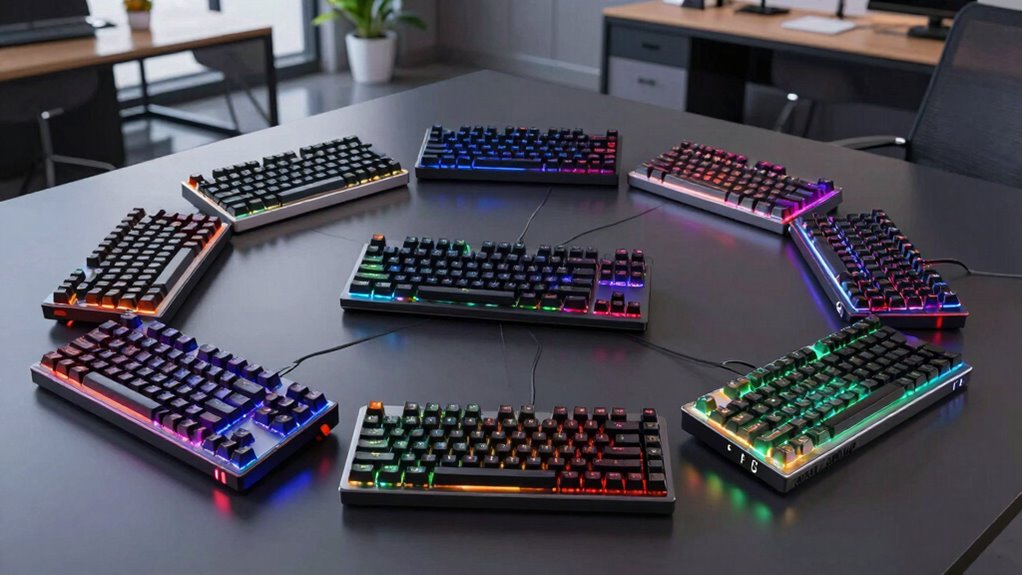

Finding the right mechanical keyboard for office work involves balancing comfort, noise levels, and build quality. The best overall pick, the Keychron C2, offers a versatile full-size design with Mac compatibility, making it ideal for diverse setups. The Cherry KC 200 MX with silent Red switches stands out for quiet operation, perfect for open-plan offices. Meanwhile, the Logitech MX Mechanical combines wireless convenience with tactile feedback for a premium experience. Each option presents tradeoffs: some emphasize quietness over typing feel, while others prioritize wired stability or wireless flexibility. Continue reading for a detailed breakdown of these top choices to find your ideal office keyboard.
Key Takeaways
- Wired keyboards like the Keychron C2 offer reliability but lack wireless convenience, which might matter for flexible setups.
- Silent switches prioritize quiet operation at the potential cost of a slightly softer typing feel, important for noise-sensitive environments.
- Wireless models like the Logitech MX Mechanical provide mobility but often come at a higher price point and may have minor latency issues.
- Build quality and keycap material vary significantly, affecting durability and comfort over long hours.
- Special features like smart displays or backlit keys can enhance productivity but often increase the price and complexity.
| Keychron C2 Full Size Wired Mechanical Keyboard with Mac Compatibility and Retro Color Keycaps |  | Best Overall for Versatile Office Use | Connectivity: Wired | Switch Type: Keychron Brown | Number of Keys: 104 | VIEW ON AMAZON | See Our Full Breakdown |
| Cherry KC 200 MX Wired Mechanical Office Keyboard with Silent Red Switches |  | Best for Quiet, Professional Work Environments | Connectivity Technology: USB-A | Switch Type: Cherry MX2A Silent Red | Number of Keys: 108 | VIEW ON AMAZON | See Our Full Breakdown |
| RK Royal Kludge S98 Wireless Mechanical Keyboard with Smart Display and Knob |  | Best for Tech-Savvy Users Needing Flexibility | Connection Modes: Bluetooth 5.0, 2.4Ghz, USB-C wired | Layout: WIN/MAC | Number of Keys: 98 | VIEW ON AMAZON | See Our Full Breakdown |
| Cherry KC 200 MX Wired Mechanical Office Keyboard with Brown Switches | | Best Tactile Experience for Office Work | Switch Type: Cherry MX2A Brown | Connection: USB-A | Design: Full size, aluminum surface | VIEW ON AMAZON | See Our Full Breakdown |
| Logitech G413 SE Full-Size Mechanical Gaming Keyboard – Black |  | Best for Versatile Office and Gaming Use | Material: Brushed aluminum | Keycaps: PBT, heat- and wear-resistant | Switch Type: Tactile mechanical switches | VIEW ON AMAZON | See Our Full Breakdown |
| Logitech MX Mechanical Wireless Illuminated Keyboard Tactile – Graphite |  | Best for Versatile, Quiet, Multi-Device Office Use | Switch Type: Tactile, Quiet Mechanical | Backlit Keys: Yes, auto-adjusting | Connectivity: Bluetooth, USB-C, Logi Bolt receiver | VIEW ON AMAZON | See Our Full Breakdown |
| mechanical keyboard for office | Switch Type | Layout | Number of Keys | Material |
|---|---|---|---|---|
| Keychron C2 Full Size Wired Me | Keychron Brown | QWERTY | 104 | — |
| Cherry KC 200 MX Wired Mechani | Cherry MX2A Silent Red | QWERTY | 108 | Aluminum surface |
| RK Royal Kludge S98 Wireless M | Creamy sound pre-lubed, hot-swappable | WIN/MAC | 98 | — |
| Cherry KC 200 MX Wired Mechani | Cherry MX2A Brown | — | — | — |
| Logitech G413 SE Full-Size Mec | Tactile mechanical switches | Full-size | — | Brushed aluminum |
| Logitech MX Mechanical Wireles | Tactile, Quiet Mechanical | — | — | Metal construction with 45% recycled plastic (Graphite) |
More Details on Our Top Picks
Keychron C2 Full Size Wired Mechanical Keyboard with Mac Compatibility and Retro Color Keycaps
The Keychron C2 stands out for its combination of aesthetic appeal and practical features, making it the most balanced choice for office environments. Its retro-inspired colorful keycaps add personality, while the compatibility with both Mac and Windows broadens its appeal. Compared to the Logitech G413, the C2 offers a more customizable look but lacks backlit keys, which might be a downside for those working in dim settings. Its durable brown switches provide tactile feedback without excessive noise, ideal for shared spaces. The adjustable typing angles enhance comfort over long hours. However, the absence of backlighting and water resistance means it’s less suited for late-night work or spill-prone desks. This model makes the most sense for users who want style without sacrificing functionality.
Pros:- Colorful, retro-inspired aesthetic adds personality to office desks
- Compatible with Mac and Windows with included keycaps
- Durable tactile switches rated for 50 million keystrokes
- Adjustable typing angles for ergonomic comfort
Cons:- No backlighting limits usability in low-light conditions
- Bulky number pad may reduce desk space
Best for: Office workers seeking a stylish, customizable keyboard with tactile feedback and Mac compatibility.
Not ideal for: Users who prioritize illuminated keys or spill resistance, or those who need a compact setup.
- Connectivity:Wired
- Switch Type:Keychron Brown
- Number of Keys:104
- Layout:QWERTY
- Compatibility:MacOS, Windows
- Cable:USB-C Braid Cable
Our verdict“A stylish, adaptable keyboard ideal for office users who value aesthetics alongside reliable tactile performance.”
Cherry KC 200 MX Wired Mechanical Office Keyboard with Silent Red Switches
The Cherry KC 200 MX excels in providing a quiet, smooth typing experience that’s perfect for open-plan offices. Its aluminum surface adds durability, and the Silent Red switches reduce noise significantly compared to tactile models like the Keychron C2. While the minimalistic design offers a sleek look, it also means fewer customizable features. The white status LEDs are practical but may be too subtle for some users. Compared with the Logitech G413, the Cherry KC 200 focuses on silence and durability rather than flashy backlighting or gaming features. Its full N-key rollover and anti-ghosting ensure accurate typing during busy work sessions. The tradeoff is that it’s limited to Windows 10 and above, and lacks wireless options, making it less flexible for varied setups. This keyboard is best suited for professionals who need a distraction-free, reliable typing tool.
Pros:- Quiet, smooth typing with Cherry MX2A Silent Red switches
- Durable aluminum surface resists wear and scratches
- Full N-key rollover and anti-ghosting for accurate input
- Includes status LEDs for quick system monitoring
Cons:- Limited to Windows 10+ and wired connection
- Lacks backlighting, which affects usability in low light
Best for: Office professionals who prioritize quiet operation and durability on Windows systems.
Not ideal for: Users seeking wireless connectivity or customizable lighting features.
- Connectivity Technology:USB-A
- Switch Type:Cherry MX2A Silent Red
- Number of Keys:108
- Layout:QWERTY
- Color:Black/Bronze
- Material:Aluminum surface
Our verdict“A robust, quiet keyboard designed for focused work in professional office settings, especially on Windows.”
RK Royal Kludge S98 Wireless Mechanical Keyboard with Smart Display and Knob
The RK Royal Kludge S98 offers a range of connection options, including Bluetooth and 2.4GHz, making it highly versatile for various office setups. Its compact 98-key layout saves space compared to full-size options, similar to the Keychron C2 but with fewer keys. The smart display adds a layer of convenience, showing connection status, date, and battery life, which can be a real time-saver. The hot-swappable switches and sound dampening layers provide customization and quieter operation, unlike the more straightforward Cherry or Logitech models. However, the more features and complex interface might be overwhelming for users who prefer simplicity, and the limited 98 keys could hinder multitasking for some. This makes it ideal for tech enthusiasts who want a customizable, wireless solution without sacrificing desk space.
Pros:- Multiple wireless connection modes for maximum flexibility
- Smart display shows important info at a glance
- Hot-swappable switches for personalized feel
- Sound dampening layers reduce typing noise
Cons:- Complex features may have a learning curve
- Limited to 98 keys, less suited for extensive spreadsheets or multitasking
Best for: Tech-savvy office users who want a space-saving, customizable wireless keyboard with smart features.
Not ideal for: Users who prefer plug-and-play simplicity or need a full-sized keyboard for extensive multitasking.
- Connection Modes:Bluetooth 5.0, 2.4Ghz, USB-C wired
- Layout:WIN/MAC
- Number of Keys:98
- Switch Type:Creamy sound pre-lubed, hot-swappable
- Sound Dampening:2 layers of sound-absorbing foam, silicone dampener
- Display Features:Custom gif, date, connection mode, battery status
Our verdict“A feature-rich, space-efficient wireless keyboard perfect for users who enjoy customization and smart tech integration.”
Cherry KC 200 MX Wired Mechanical Office Keyboard with Brown Switches
The Cherry KC 200 MX offers a tactile typing experience with the familiar Cherry MX2A Brown switches, making it a great choice for those who want feedback without loud click noise. Its full-size form with an anodized aluminum surface provides durability and a professional look, similar to Logitech’s G413 but with a focus on tactile feel rather than gaming aesthetics. The inclusion of dedicated shortcut keys like volume and calculator enhances productivity, especially for multitasking. Unlike the Keychron C2, the Cherry KC 200 emphasizes a more subdued, professional design, but it lacks wireless options, which might limit flexibility. The laser-etched keycaps ensure longevity, although the standard color options may feel less personalized. It’s best suited for office workers who prefer precise, tactile feedback for extended typing sessions.
Pros:- Tactile Cherry MX2A Brown switches provide precise feedback
- Durable, abrasion-resistant laser-etched keycaps
- Full N-key rollover and anti-ghosting for accurate typing
- Includes dedicated shortcut keys for productivity
Cons:- No wireless option, limiting flexibility
- Limited color options and plain appearance
Best for: Office users who prioritize tactile feedback and durability in a wired setup.
Not ideal for: Those who need wireless connectivity or a more colorful aesthetic.
- Switch Type:Cherry MX2A Brown
- Connection:USB-A
- Design:Full size, aluminum surface
- Key Features:N-key rollover, anti-ghosting, white status LEDs
- Additional Keys:Calculator, volume control
Our verdict“A reliable, tactile keyboard suited for professional settings where feedback and durability matter most.”
Logitech G413 SE Full-Size Mechanical Gaming Keyboard – Black
The Logitech G413 SE combines a sleek aluminum design with reliable performance, making it suitable for both office work and light gaming. Its white LED backlit keys provide visibility in dim environments, and the tactile mechanical switches deliver satisfying feedback. Compared to the Cherry KC 200, the G413 SE is more geared toward users who want a stylish, backlit keyboard with media controls and Windows lock for productivity. Its durability and anti-ghosting features ensure consistent performance during busy workdays or gaming sessions. However, the wired-only connection limits portability, and the relatively limited color options might not appeal to those seeking a more personalized aesthetic. The G413 SE strikes a balance for users who need a durable, versatile keyboard that performs well across tasks.
Pros:- Sturdy brushed aluminum-metal construction
- Reliable anti-ghosting and N-key rollover
- Backlit white LED keys with media controls
- Sleek, professional look suitable for various environments
Cons:- Requires wired connection, reducing portability
- Limited color options and backlight customization
Best for: Office workers who want a durable, stylish keyboard with backlit keys and some gaming features for versatility.
Not ideal for: Users needing wireless connectivity or a keyboard with extensive customization options.
- Material:Brushed aluminum
- Keycaps:PBT, heat- and wear-resistant
- Switch Type:Tactile mechanical switches
- Backlighting:White LED
- Layout:Full-size
- Features:Anti-ghosting, media controls, Windows lock
Our verdict“A durable, stylish keyboard that blends office reliability with gaming-inspired features for versatile use.”
Logitech MX Mechanical Wireless Illuminated Keyboard Tactile – Graphite
The Logitech MX Mechanical stands out for its combination of quiet, tactile switches and seamless multi-device connectivity, making it ideal for professionals who switch between work and personal devices. Unlike the Keychron C2, which offers wired simplicity, this model provides wireless convenience with auto-adjusting backlit keys that enhance visibility in varying lighting conditions. While the premium price might deter budget-conscious users, the durable metal build and eco-friendly recycled plastics justify the investment for those seeking a sustainable, long-lasting keyboard. Its full-size layout suits users with ample desk space but could be cumbersome for tight setups. The versatile compatibility across macOS, Windows, Linux, iOS, and Android further broadens its appeal, especially for multi-platform workflows.Pros:- Quiet, tactile mechanical switches for precise typing
- Auto-adjusting backlit keys for visibility
- Multi-device and multi-OS compatibility
- Eco-friendly recycled plastic components
Cons:- Premium price may be high for some users
- Full-size layout may be bulky for small desks
Best for: Office workers who need a reliable, multi-device wireless keyboard with quiet, precise typing and adjustable lighting.
Not ideal for: Users with very limited desk space or those seeking a more budget-friendly wired option.
- Switch Type:Tactile, Quiet Mechanical
- Backlit Keys:Yes, auto-adjusting
- Connectivity:Bluetooth, USB-C, Logi Bolt receiver
- Device Compatibility:macOS, Windows, Linux, iOS, Android
- Battery Life:Up to 15 days with backlighting, 10 months with backlighting off
- Material:Metal construction with 45% recycled plastic (Graphite)
Our verdict“This keyboard is best suited for professionals who value quiet operation, multi-device flexibility, and eco-conscious design, despite its higher cost and size.”

How We Picked
In evaluating these keyboards, I focused on factors that directly impact office productivity and comfort. Performance aspects like typing feel, noise level, and reliability were prioritized, along with build quality and ease of use. I also considered value for money—balancing features against price—and versatility, such as wireless connectivity options and compatibility with different operating systems. The ranking reflects a combination of user-friendly features, durability, and suitability for prolonged office use, ensuring each model offers a distinct role within the office environment.| mechanical keyboard for office | Switch Type | Layout | Material |
|---|---|---|---|
| Keychron C2 Full Size Wired Me | Keychron Brown | QWERTY | — |
| Cherry KC 200 MX Wired Mechani | Cherry MX2A Silent Red | QWERTY | Aluminum surface |
| RK Royal Kludge S98 Wireless M | Creamy sound pre-lubed, hot-swappable | WIN/MAC | — |
| Cherry KC 200 MX Wired Mechani | Cherry MX2A Brown | — | — |
| Logitech G413 SE Full-Size Mec | Tactile mechanical switches | Full-size | Brushed aluminum |
| Logitech MX Mechanical Wireles | Tactile, Quiet Mechanical | — | Metal construction with 45% recycled plastic (Graphite) |
Factors to Consider When Choosing Mechanical Keyboard For Office
Choosing a mechanical keyboard for office work involves more than just looking at switches and design. Consider your workspace environment, typing habits, and specific needs to select a model that enhances productivity without becoming a distraction. Below are key factors to keep in mind, along with broader insights into making the best choice for your office setup.Switch Types and Noise Levels
Switch choice significantly affects typing feel and noise. Linear switches like Red or Gateron Silent Red offer smooth keystrokes with minimal noise, ideal for shared spaces. Tactile switches, such as Brown or Tactile variants, provide feedback that can improve typing accuracy but may generate more noise. Consider your office environment—quiet switches help maintain a professional atmosphere and prevent disturbing colleagues.
Wired vs. Wireless Connectivity
Wired keyboards deliver a stable connection free of latency, which benefits tasks requiring precision and responsiveness. Wireless options add convenience and reduce desk clutter but can introduce slight delays or require charging. Think about how mobile you need your setup to be and whether wireless features like Bluetooth or Logitech’s proprietary connections are worth the tradeoff in latency or higher cost.
Build Quality and Keycap Materials
Durability hinges on the quality of materials used, especially the keycaps and frame. PBT keycaps tend to last longer and resist shine, while ABS keycaps may wear down faster but are often more affordable. A sturdy case prevents flexing and noise during typing, making long hours more comfortable. Investing in quality build materials can save money over time by reducing replacement needs.
Additional Features and Customization
Features like backlit keys, programmable macros, or smart displays can boost productivity but may add complexity and cost. Consider whether these extras align with your workflow—simple, clean layouts often suit office environments better than flashy features that might distract. Prioritize essential functions first, then evaluate if extra features genuinely improve your daily tasks.
Price and Value
Mechanical keyboards span a wide price range, with premium models offering advanced features and better materials. Balance your budget with the features that matter most—such as quiet switches, wireless capability, or durability. Sometimes, spending a bit more upfront results in better comfort and longevity, reducing the need for replacements or upgrades soon after purchase.
Frequently Asked Questions
Are mechanical keyboards suitable for all-day typing in an office?
Yes, many mechanical keyboards are designed with ergonomics and comfort in mind, making them suitable for long hours of typing. Features like tactile feedback, adjustable height, and quality key switches help reduce fatigue. However, some models with loud switches or less cushioned keycaps might become uncomfortable over extended periods, so choosing a quieter or more cushioned option can enhance all-day usability.
How important is wireless connectivity for office use?
Wireless connectivity offers significant convenience, especially if you prefer a clutter-free desk or need to switch between devices. For office environments, it can streamline your workspace and improve flexibility. However, consider potential latency issues and the need for charging or batteries. If your work involves precise, fast typing or you prefer a plug-and-play setup, wired keyboards might be more reliable.
Should I prioritize silent switches or tactile feedback?
Deciding between silent switches and tactile feedback depends on your office environment. Silent switches minimize noise, making them ideal for open-plan offices or shared spaces. Tactile switches, on the other hand, provide physical feedback that can improve typing accuracy and comfort but may produce more noise. Evaluate your work setting and personal preference to find the right balance between quietness and typing feel.
Are backlit keys necessary for office work?
Backlit keys can be helpful if you often work in dim lighting or need to locate keys quickly. However, they are not essential for most office tasks and can add to the cost and power consumption. If your workspace is well-lit and you don’t find visual cues necessary, a non-backlit keyboard might be a more budget-friendly and straightforward choice.
What should I consider when choosing a keyboard for Windows vs. Mac?
Compatibility is key—look for keyboards explicitly designed for your operating system. Some models offer dual compatibility or customizable key mappings to suit both Windows and Mac. Ensure that function keys, shortcuts, and special features work seamlessly with your OS. Failing to check compatibility can lead to frustration and limited functionality during daily use.
Conclusion
For those seeking the best overall balance of features and affordability, the Keychron C2 stands out as a versatile choice suitable for most office setups. If noise reduction is your priority, the Cherry KC 200 MX Silent provides a quieter typing experience. Budget-conscious buyers or beginners might prefer models like the Logitech G413 SE for straightforward performance, while professionals seeking premium wireless options should consider the Logitech MX Mechanical. Finally, users who value additional features like smart displays or customizability may find the RK Royal Kludge S98 appealing. Tailor your choice to your workspace needs, typing preferences, and budget for the best productivity boost.