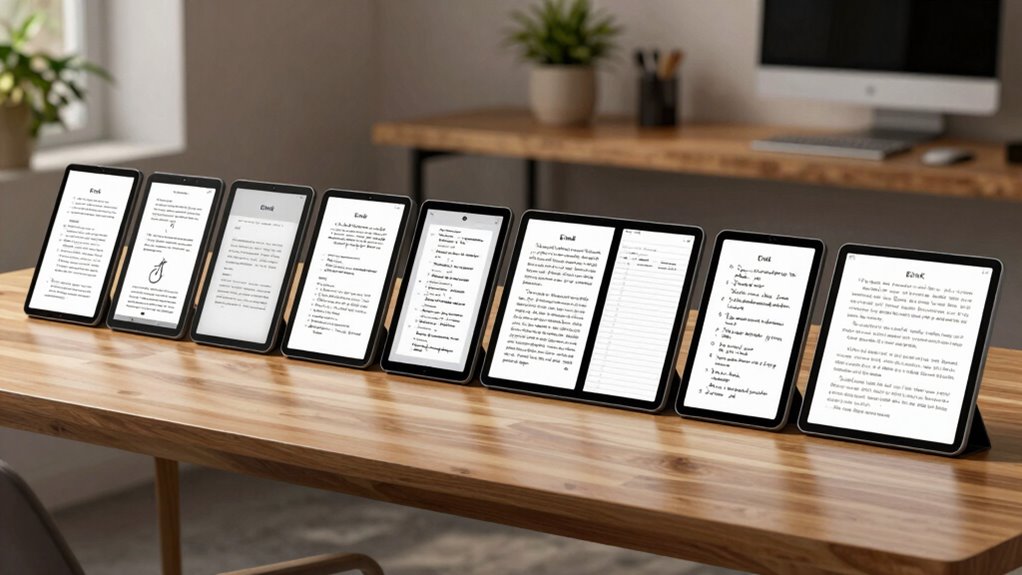

When searching for e ink tablets for note taking, the key considerations include writing comfort, display size, and versatility. The reMarkable Paper Pro stands out as the best overall for its natural writing experience, while the Kindle Scribe 64GB offers a great balance of features at a reasonable price. The Penstar eNote 2 is ideal for those who want a dedicated digital notebook with AI features. However, tradeoffs exist: higher-end models tend to be more expensive and less portable, while budget options may compromise on display quality or stylus support. Keep reading for a detailed breakdown of these options to find the best fit for your note-taking needs.

Prime made for students and young adults
- Fast, free delivery for dorm and study essentials
- Prime Video and Amazon Music included
- Member-only deals
Key Takeaways
- The best e ink tablets for note taking balance writing experience with device versatility, often favoring larger screens for extensive note sessions.
- Premium models like the reMarkable Paper Pro excel in natural-feel writing but come at a higher price point, while more affordable options still offer solid performance.
- Stylus support and responsiveness are consistent differentiators, with dedicated pens providing the most natural writing feel.
- Display size and color support vary widely, impacting how useful the device is for different types of note taking and reading.
- Choosing the right device depends heavily on your primary use case — whether for casual notes, professional sketches, or extensive study.
| reMarkable Paper Pro with Marker Plus |  | Best Overall for Color Note-Taking and Reading | Display: 11.8-inch Canvas Color display | Included Accessories: Marker Plus stylus, 6 spare tips | Features: Color display, adjustable reading light, low-glare screen, handwriting conversion | VIEW ON AMAZON | See Our Full Breakdown |
| Kindle Scribe 64GB (Newest Model) with Premium Pen |  | Best for Reading and Long-Lasting Note-Taking | Storage: 64GB | Display: 11-inch glare-free, paper-like display with front light | Weight: 400g | VIEW ON AMAZON | See Our Full Breakdown |
| Penstar eNote 2 E-Ink Digital Notebook with Pen, 10.3″ AI eNote Tablet |  | Best for Advanced Note Organization and AI Features | Screen Size: 10.3 inches | Resolution: 2480×1860 (300 ppi) | Stylus Pressure Levels: 8,192 | VIEW ON AMAZON | See Our Full Breakdown |
| reMarkable Paper Pro Move with Marker Plus |  | Best Ultra-Portable Digital Paper for On-the-Go Note Takers | Display Size: 7.3 inches | Display Type: Color e-ink | Included Items: Marker Plus, 6 spare tips, USB-C cable | VIEW ON AMAZON | See Our Full Breakdown |
| reMarkable Paper Pure with Marker Plus and Ocean Blue Sleeve Folio |  | Best for Traditional Black-and-White Note-Taking with Smart Features | Display: 10.3-inch | Color: Black and white | Response Time: 21 ms | VIEW ON AMAZON | See Our Full Breakdown |
| BOOX Tablet Go Color 7 Gen II E Ink Tablet Support Active Stylus InkSense |  | Best for Color E Ink Reading and Light Multimedia | Display: 7-inch Kaleido 3 color E Ink, 4096 colors, 1680 x 1264 | Processor: Octa-core | RAM: 4GB | VIEW ON AMAZON | See Our Full Breakdown |
| Kindle Scribe Colorsoft 64GB (Newest Model) – 11″ Color Display with Pen Included |  | Best for Large-Scale Reading and Notetaking | Display: 11-inch Colorsoft display | Storage: 64GB | Weight: 400g | VIEW ON AMAZON | See Our Full Breakdown |
| Kindle Scribe (64GB) with Premium Pen – Digital Notebook for Reading and Writing |  | Best for Natural Writing and Long-Term Use | Display: 10.2-inch glare-free, 300 ppi | Storage Options: 16 GB, 32 GB, 64 GB | Weight: 15.3 oz | VIEW ON AMAZON | See Our Full Breakdown |
| XPPen 3-in-1 Color Digital Notebook 10.95” with 16384 Pressure Levels and Magnetic Folio |  | Best for Precise, Colorful Note Taking and Multi-Function Use | Display Size: 10.95 inches | Display Technology: AG nano-etched LCD | Color Support: 16.7 million colors | VIEW ON AMAZON | See Our Full Breakdown |
| e ink tablets for note taking | Display | Storage |
|---|---|---|
| reMarkable Paper Pro with Mark | 11.8-inch Canvas Color display | — |
| Kindle Scribe 64GB | 11-inch glare-free, paper-like display with front light | 64GB |
| Penstar eNote 2 E-Ink Digital | — | 128GB |
| reMarkable Paper Pro Move with | — | — |
| reMarkable Paper Pure with Mar | 10.3-inch | — |
| BOOX Tablet Go Color 7 Gen II | 7-inch Kaleido 3 color E Ink, 4096 colors, 1680 x 1264 | 64GB |
| Kindle Scribe Colorsoft 64GB | 11-inch Colorsoft display | 64GB |
| Kindle Scribe | 10.2-inch glare-free, 300 ppi | — |
| XPPen 3-in-1 Color Digital Not | — | 128GB |
More Details on Our Top Picks
reMarkable Paper Pro with Marker Plus
The reMarkable Paper Pro stands out for its vibrant 11.8-inch color display, making it ideal for those who want colorful sketches or annotations alongside reading. Compared with the monochrome reMarkable Paper Pure, this model offers a more engaging visual experience, though it comes with a higher price tag and a learning curve for new users unfamiliar with color e-ink tech. Its adjustable reading light and low-glare screen support comfortable use in various lighting conditions, while the included Marker Plus stylus ensures precise control for handwriting and sketching. However, it remains primarily focused on digital note-taking and reading, lacking the multimedia capabilities of traditional tablets. The device’s color display enhances creative tasks but may be seen as overkill for purely text-based notes. For users seeking a natural, paper-like feel with vibrant visuals, this pick offers a compelling balance of features and quality.
Pros:- Vibrant 11.8-inch color display enhances sketches and annotations
- Low-glare screen reduces eye strain in bright environments
- Includes a stylus with eraser and spare tips for precise work
- Adjustable reading light for use in low-light settings
Cons:- High price relative to monochrome e-ink devices
- Color e-ink may have limited color accuracy and vibrancy compared to traditional screens
Best for: Creative professionals and students who want colorful annotations and reading in one device
Not ideal for: Users seeking a dedicated, low-cost e-ink device solely for black-and-white note-taking
- Display:11.8-inch Canvas Color display
- Included Accessories:Marker Plus stylus, 6 spare tips
- Features:Color display, adjustable reading light, low-glare screen, handwriting conversion
Our verdict“This device is best suited for users who value colorful note-taking and reading in a compact, paper-like form, despite its premium cost.”
Kindle Scribe 64GB (Newest Model) with Premium Pen
The Kindle Scribe offers an 11-inch, glare-free, paper-like display that provides an exceptionally comfortable reading experience, making it an excellent choice for those who primarily read and annotate documents. Its long battery life of weeks surpasses many color e-ink options like the Paper Pro, but it is less suitable for detailed sketches or colorful notes. The included rechargeable pen with shortcut buttons supports writing, highlighting, and annotation tasks, though it lacks the color capabilities of the Paper Pro. Weighing only 400g and with a thickness of 5.4mm, it’s remarkably portable and ideal for extended use on the go. The device is best for readers and writers who want a distraction-free experience, but it’s less versatile for multimedia or artistic projects. If your main focus is long-term reading and simple note management, the Kindle Scribe provides a streamlined, durable solution.
Pros:- Large 11-inch paper-like display for comfortable reading and writing
- Weeks-long battery life reduces charging needs
- Rechargeable pen with shortcut buttons simplifies note-taking
- Lightweight and slim for extended use
Cons:- Limited to monochrome, reducing options for colorful annotations
- Higher price compared to standard e-readers with basic note features
- Less suitable for artistic or multimedia tasks
Best for: Readers and note-takers who prioritize battery life and a distraction-free reading environment
Not ideal for: Creative users needing color sketches or multimedia functions, or those seeking a dedicated sketching device
- Storage:64GB
- Display:11-inch glare-free, paper-like display with front light
- Weight:400g
- Thickness:5.4mm
- Battery Life:Weeks
Our verdict“Perfect for long-term readers and note-takers who value battery longevity over color capabilities, with a focus on simplicity and durability.”
Penstar eNote 2 E-Ink Digital Notebook with Pen, 10.3″ AI eNote Tablet
The Penstar eNote 2 excels for users who want a high-contrast, paper-like display combined with AI-powered voice-to-text and extensive file support. Its 10.3-inch screen offers a crisp, 300 ppi resolution, making it ideal for outdoor reading and precise note-taking. Compared with the standard Paper Pro, it adds AI features that streamline transcription and organization, catering to professionals or students with complex note workflows. Its 8,192 pressure levels and Android 14 OS provide a familiar, versatile environment, but this sophistication comes with a higher cost and potential complexity for casual users. Battery life of up to 4 weeks supports prolonged use, though the device’s premium features may feel overwhelming for those seeking a simple digital notepad. This device suits tech-savvy users looking for a multi-format, AI-enhanced digital writing companion.
Pros:- High-contrast, paper-like 10.3-inch display with 300 ppi
- AI-powered voice-to-text and handwriting conversion
- Supports over 35 file formats for extensive document management
- Long battery life up to 4 weeks
Cons:- Premium price point may be a barrier for casual users
- Requires familiarity with Android OS and digital workflows
- No rugged or waterproof features
Best for: Students and professionals needing advanced note organization and voice-to-text features
Not ideal for: Casual note-takers or those with limited familiarity with Android-based devices
- Screen Size:10.3 inches
- Resolution:2480×1860 (300 ppi)
- Stylus Pressure Levels:8,192
- Built-in Microphone:Yes
- Storage:128GB
- Battery Capacity:6500mAh
Our verdict“Ideal for users who need a versatile, AI-enabled device for complex note-taking and document management, despite its higher cost and learning curve.”
reMarkable Paper Pro Move with Marker Plus
The reMarkable Paper Pro Move prioritizes portability, featuring a 7.3-inch color e-ink display that resembles paper, perfect for quick notes and reading on the move. Its lightweight design makes it easy to carry in a pocket or small bag, unlike larger models like the Paper Pro or Kindle Scribe. It supports handwriting conversion, tags, and folders for organized note management, though customer reviews suggest some inconsistency in performance and battery life information remains sparse. Its color display adds visual appeal, but the smaller size limits detailed sketches or extensive note-taking. This device is best for users who need a compact, distraction-free device for casual note-taking, rather than intensive creative work. It’s a flexible choice for quick ideas and reading without bulk.
Pros:- Extremely lightweight and portable, easily fits in a pocket
- Color e-ink display that mimics paper for casual use
- Supports handwriting conversion and note organization
- Includes Marker Plus stylus and spare tips
Cons:- Limited info on battery life and overall performance
- Small screen size may restrict detailed notes or sketches
Best for: Travelers and students who need a lightweight, portable note device for quick tasks
Not ideal for: Power users requiring extensive writing, color-rich sketches, or detailed note organization
- Display Size:7.3 inches
- Display Type:Color e-ink
- Included Items:Marker Plus, 6 spare tips, USB-C cable
- Warranty:1 year
- Model Number:RM89A-1000NW
Our verdict“Best suited for on-the-go users needing a compact, colorful e-ink device for quick notes and reading in a lightweight package.”
reMarkable Paper Pure with Marker Plus and Ocean Blue Sleeve Folio
The reMarkable Paper Pure offers a 10.3-inch high-contrast, black-and-white display that emphasizes natural writing and efficient note organization. Its fast response time of 21 ms makes writing feel smooth and natural, comparable to the Paper Pro but without color, which simplifies the device and reduces distractions. It supports handwriting-to-text conversion and integrates seamlessly with cloud services, making it a solid choice for productivity-centric users. While it lacks the vibrancy of color devices like the Paper Pro, its monochrome screen keeps the interface uncluttered and focused. The optional subscription for cloud storage unlocks additional features, but this may be a downside for users seeking free or low-cost solutions. This model is ideal for users who prefer classic note-taking with smart digital enhancements, despite the absence of color options.
Pros:- High-contrast, fast-response display mimics natural writing
- Supports handwriting-to-text and organization tools
- Integrates smoothly with cloud services and productivity apps
- Lightweight and simple design
Cons:- Limited to black-and-white display, no color option
- Requires subscription for full cloud features
- May have a learning curve for users new to digital note-taking
Best for: Professionals and students who prioritize high-contrast, fast-response notes with smart organization features
Not ideal for: Creative users needing color sketches or multimedia integration, or those who dislike subscription fees
- Display:10.3-inch
- Color:Black and white
- Response Time:21 ms
- Includes:Marker Plus, Ocean Blue Sleeve Folio
Our verdict“This device suits users seeking a distraction-free, efficient monochrome note-taking experience with smart enhancements, despite lacking color options.”
BOOX Tablet Go Color 7 Gen II E Ink Tablet Support Active Stylus InkSense
The BOOX Tablet Go Color 7 Gen II stands out for offering a vibrant 7-inch Kaleido 3 color E Ink display with 4096 colors, making it ideal for reading colored diagrams, comics, or light multimedia. Compared to the Kindle Scribe models, which focus on pure reading and writing, this device adds color capabilities that can enhance visual notes and annotations. However, the color E Ink technology inherently produces darker, grayer screens than LCDs, meaning images may not be as vivid as on traditional screens. The device supports an active stylus (not included), but since stylus purchase is an extra step, some might find it less convenient. Its lightweight design and Android 13 OS provide a flexible platform for light use, but the display’s color quality doesn’t match LCD-based tablets, limiting its use for multimedia that demands true color accuracy.
Pros:- Vibrant 4096-color E Ink display enhances visual notes and comics
- Supports multiple document formats for versatile use
- Lightweight and portable for on-the-go reading
Cons:- Color E Ink screens are darker and grayer compared to LCD displays
- Stylus not included, requiring additional purchase
Best for: Color-focused note takers who want a portable device for reading and light visual projects
Not ideal for: Users seeking high-fidelity color for detailed image editing or multimedia consumption
- Display:7-inch Kaleido 3 color E Ink, 4096 colors, 1680 x 1264
- Processor:Octa-core
- RAM:4GB
- Storage:64GB
- OS:Android 13
- Connectivity:Wi-Fi, Bluetooth 5.1
Our verdict“This device suits those who prefer color in their e Ink notes but can accept limited color vibrancy and additional stylus cost.”
Kindle Scribe Colorsoft 64GB (Newest Model) – 11″ Color Display with Pen Included
The Kindle Scribe Colorsoft 64GB offers an expansive 11-inch high-contrast, paper-like color display that provides a comfortable writing and reading experience. It makes a compelling choice for those who want a larger screen for detailed notes or reading without the clutter of multiple devices. Its built-in notebook and AI tools simplify organization, setting it apart from smaller, more focused devices like the BOOX Go Color. While its long battery life and slim profile make it highly portable, the device’s weight at 400g can be a drawback for extended use on the go. Additionally, it is limited primarily to reading and writing functions, with fewer options for multimedia or extensive file formats, unlike the XPPen or reMarkable models.
Pros:- Large, high-contrast 11-inch display mimics paper for comfortable use
- Built-in notebook with AI tools for easy note management
- Weeks-long battery life keeps it ready for extended use
Cons:- Relatively heavy for prolonged portable use
- Limited to writing and reading, lacking advanced multimedia support
Best for: Readers and writers who prefer a larger, natural-feeling screen for daily note-taking and reading
Not ideal for: Users who need a versatile device for multimedia or complex design projects due to its focus on reading and writing
- Display:11-inch Colorsoft display
- Storage:64GB
- Weight:400g
- Battery Life:Weeks
- Included Pen:Yes, no charging needed
- Thickness:5.4mm
Our verdict“This model is ideal for those who prioritize a large, natural-feeling display for daily reading and note-taking without extra complexity.”
Kindle Scribe (64GB) with Premium Pen – Digital Notebook for Reading and Writing
The Kindle Scribe 64GB paired with the Premium Pen delivers a 10.2-inch glare-free, high-resolution display designed for a natural writing experience. It excels in long-term reading and note-taking, with AI tools for organizing and converting notes into usable formats. Its long battery life, lasting up to 12 weeks, makes it suitable for users who prefer extended, distraction-free sessions. Compared to smaller devices like the BOOX Go Color, its larger screen makes writing more comfortable, but at 15.3 ounces, it can feel heavy for portable use over extended periods. Its limited file format support may frustrate those needing extensive document compatibility, especially in comparison to more open systems like Android-based tablets.
Pros:- Large, high-resolution display supports detailed notes and reading
- AI tools aid in note organization and conversion
- Exceptional battery life for long-term use
Cons:- Relatively heavy for frequent portable use
- Limited file format support compared to Android-based tablets
Best for: Focused readers and writers who want a large, natural-feeling device for extended note sessions
Not ideal for: Users needing a lightweight, multi-function device for multimedia or complex file management
- Display:10.2-inch glare-free, 300 ppi
- Storage Options:16 GB, 32 GB, 64 GB
- Weight:15.3 oz
- Battery Life:Up to 12 weeks
- Included:Premium Pen
- Charging Time:Approx. 7 hours
Our verdict“This device is best suited for dedicated note takers who prioritize a natural writing experience and long battery life over portability.”
XPPen 3-in-1 Color Digital Notebook 10.95” with 16384 Pressure Levels and Magnetic Folio
The XPPen 3-in-1 Color Digital Notebook features a 10.95-inch AG nano-etched LCD with 16.7 million colors and 16384 pressure sensitivity levels, making it highly suitable for detailed, colorful notes, sketches, and professional work. Its high refresh rate and multiple color modes provide a smoother, more versatile experience compared to monochrome or limited-color e Ink devices like the BOOX or Kindle models. The device’s extensive feature set, including remote meeting capabilities and eye-care certification, makes it a strong choice for students and professionals. However, with a weight of nearly half a kilogram and a thickness of 7mm, it is less portable than smaller e Ink options, and system upgrades are required to unlock advanced AI features, which could complicate initial setup.
Pros:- High-pressure sensitivity with 16384 levels supports detailed notes and sketches
- Vivid 16.7 million color support with multiple modes
- High refresh rate reduces lag for smooth drawing
Cons:- Relatively heavy and less portable due to size and weight
- Requires system upgrade to access advanced AI features
Best for: Creative professionals and students who need precise, colorful notes and sketches in a portable package
Not ideal for: Those seeking a light, ultra-portable note device primarily for reading or simple notes
- Display Size:10.95 inches
- Display Technology:AG nano-etched LCD
- Color Support:16.7 million colors
- Pressure Sensitivity:16384 levels
- Battery:8000mAh
- Storage:128GB
Our verdict“This device is best for users who prioritize precise, colorful note-taking and are willing to trade portability for performance.”

How We Picked
These products were selected based on their performance, usability, build quality, and value for note taking. Priority was given to devices with responsive stylus support, clear e ink displays, and comfortable writing experiences. We also considered customer feedback for reliability and software features that support note organization. Devices were ranked to highlight the best overall options, balancing price and capabilities, while also including niche picks for specific needs like color display or compactness.Factors to Consider When Choosing E Ink Tablets For Note Taking
Choosing the right e ink tablet for note taking involves considering several key factors. First, display size impacts how much you can write comfortably and whether the device fits into your daily routine. Stylus support and responsiveness are vital for a natural writing experience, especially for extended sessions. Battery life matters for portability, while software ecosystems influence organization and compatibility with other devices. Price is often a tradeoff for features, so understanding what you need most helps in making a sound investment. Finally, consider whether you prefer monochrome or color displays, as this affects readability and use cases.Display Size and Resolution
Display size affects your ability to write comfortably and see your notes clearly. Larger screens, typically 10 inches or more, are better suited for extensive note-taking, sketches, and reading documents. Resolution impacts clarity—higher resolution displays provide sharper text and images, reducing eye strain during long sessions. However, bigger screens often mean increased weight and less portability, so balance your need for space with ease of use on the go.
Stylus Support and Responsiveness
A responsive stylus is essential for a natural writing experience, mimicking pen-on-paper feel. Look for devices with pressure sensitivity and tilt support, which enable more precise and expressive notes or sketches. Dedicated pens often outperform generic styluses in responsiveness and accuracy, but they may add to the cost. Keep in mind that stylus latency and palm rejection features also influence the overall writing comfort.
Display Color and Readability
Most e ink tablets for note taking feature monochrome screens optimized for clarity and battery life, but some now include color options. Color displays can enhance note organization, highlighting, and visual aids, making them useful for creative work or study materials. However, color e ink screens tend to have slightly slower refresh rates and higher power consumption. Consider your primary use—if you mainly write and read, monochrome may suffice; if you want visual flexibility, color options are worth considering.
Battery Life and Portability
Long battery life is a hallmark of e ink devices, allowing for days or even weeks of use without charging. This makes them ideal for travel, fieldwork, or long study sessions. Portability also depends on device weight and form factor—compact models are easier to carry but may have smaller screens. Larger, feature-rich models tend to be heavier and less convenient for daily carry, but they often provide a better writing surface.
Price and Ecosystem Compatibility
Prices vary widely, from budget-friendly options to premium devices with advanced features. Higher-priced models usually offer better display quality, stylus support, and build quality, but may not be necessary for casual note takers. Compatibility with other devices and cloud services can influence your overall experience—some tablets integrate seamlessly with apps and platforms you already use, making note synchronization and organization smoother. Consider your budget and existing tech ecosystem when making a choice.
Frequently Asked Questions
Can I use a standard stylus with all e ink tablets for note taking?
Not all e ink tablets support generic styluses. Many devices come with dedicated pens designed for pressure sensitivity and better responsiveness, which are crucial for a natural writing feel. Some models are compatible with active styluses like the Wacom or Apple Pencil, while others only support capacitive pens. It’s important to check the stylus support and compatibility before purchasing to ensure you get a device that meets your writing preferences.
Are color e ink tablets suitable for serious note taking?
Color e ink tablets are improving but still lag behind monochrome screens in responsiveness and battery life. They are better suited for visual aids, sketches, or highlighting specific parts of your notes. For extensive writing or reading, monochrome devices generally provide a clearer, more comfortable experience. If your note-taking involves a lot of visual content or color coding, a color device may be beneficial, but expect some compromises in responsiveness.
How important is battery life when choosing an e ink tablet?
Battery life is a significant advantage of e ink devices, often lasting weeks on a single charge. This makes them ideal for frequent travelers, students, or professionals who need reliable, long-lasting devices. Devices with longer battery life reduce the hassle of frequent recharging, enhancing your productivity. When choosing, consider how often you will need to recharge and whether portability outweighs other features like size or color support.
Is it worth investing in a premium e ink tablet for note taking?
Premium e ink tablets usually offer better display quality, stylus support, and build durability, which can significantly enhance the note-taking experience. If you rely heavily on precise writing, sketches, or need a device that mimics paper closely, investing more can be worthwhile. However, for casual use or light note-taking, budget options often suffice, and the extra features of premium models may be unnecessary for your needs.
What should I prioritize if I want an easy-to-use device for beginners?
Simplicity and affordability are key for beginners. Look for devices with straightforward interfaces, minimal setup, and reliable stylus support. Devices with larger screens and clear displays can help ease the learning curve, while those with less complex software tend to be more intuitive. Starting with a mid-range device that balances ease of use and functionality can provide a smoother transition into digital note taking.
Conclusion
For casual note takers or students, a budget-friendly monochrome device like the Kindle Scribe 64GB offers excellent value and ease of use. Professionals and artists who prioritize a natural writing feel might prefer the reMarkable Paper Pro for its high-quality stylus support. Tech enthusiasts seeking the best overall experience will find the reMarkable Paper Pro or the BOOX Tablet Go Color compelling, depending on whether color or advanced features matter more. Beginners should consider simple, affordable options, while power users requiring extensive features may find the premium models worth the investment. Carefully aligning your specific needs with these strengths will ensure a satisfying note-taking experience in 2026.
As an affiliate, we earn on qualifying purchases.Halloween Picks
halloween