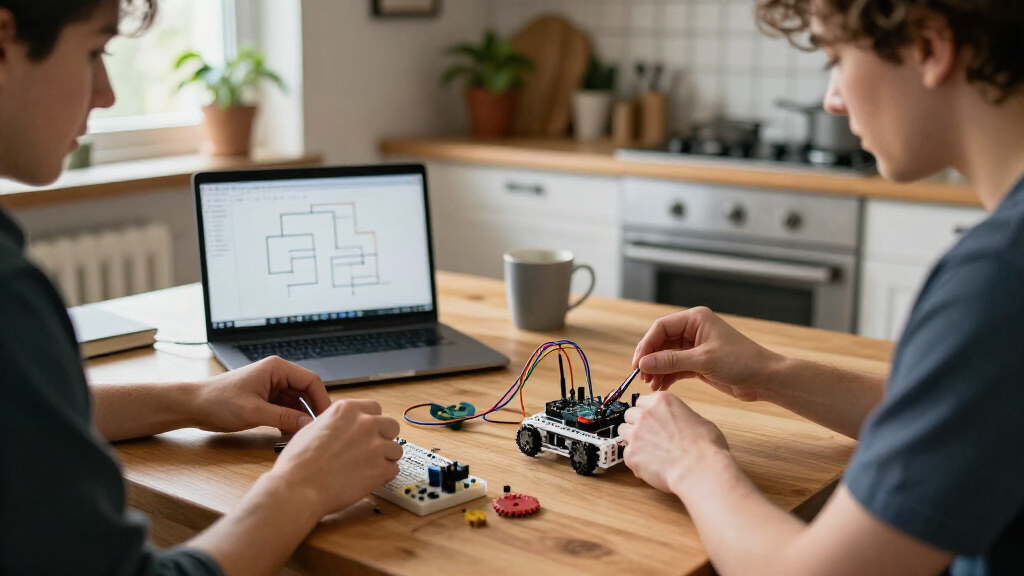

Educational STEM kits for adults range from hands-on mechanical builds to electronics and programmable robotics, so the right choice depends on what you want to learn. I’d put the ACEBOTT Smart Robot Car Kit first for its ESP32 controller, Mecanum wheels, and coding tutorials, while the Playz V8 Engine Model Kit is a standout for exploring engine mechanics and Snap Circuits Classic makes electronics approachable through modular projects. The main tradeoff is between guided, low-friction activities and kits that offer more room to experiment but ask for greater patience and technical confidence. Adult buyers should also check whether a kit’s age labeling reflects its actual learning depth. Read on for how these seven options compare and which one best matches your goals.

Prime made for students and young adults
- Fast, free delivery for dorm and study essentials
- Prime Video and Amazon Music included
- Member-only deals
Key Takeaways
- The ACEBOTT robot car is the strongest all-around learning pick because it combines programmable control, mobile robotics, and tutorials in one kit.
- The two V8 models teach through different strengths: Playz centers on a working mini-engine experience, while BseSparklion offers a 703-piece assembly challenge.
- Snap Circuits Classic is the clearest entry point to electronics, though its age labeling and modular format may feel less advanced to adults seeking circuit design depth.
- The wooden robot arms favor mechanical assembly over coding; ANNISOKA is the adult-oriented option in that pair, while Poraxy is explicitly marketed to children.
- Adult suitability depends on learning depth, not just kit size: a large build or high project count does not automatically provide advanced instruction or open-ended experimentation.


| educational STEM kits for adult | Brand | Material | Dimensions | Model number |
|---|---|---|---|---|
| ANNISOKA DIY Wooden Robot Arm | ANNISOKA | Wood | 6.8 x 4.48 x 4.3 inches | — |
| Playz Large V8 Engine Model Ki | Playz | Plastic | — | v8engine |
| ACEBOTT Smart Robot Car Kit wi | ACEBOTT | — | — | QD001 |
| ELEGOO UNO R3 Smart Robot Car | ELEGOO | — | 8 x 7 x 6 inches | US-EL-KIT-012 |
| BseSparklion V8 Engine Model K | BseSparklion | ABS plastic | 8.66 x 5.51 x 5.11 inches | — |
| Poraxy Robot Arm Kit for Kids | Poraxy | Wood | 4 x 4 x 9 inches | PODIY024 |
| Snap Circuits Classic SC-300 S | — | — | — | — |
More Details on Our Top Picks
ANNISOKA DIY Wooden Robot Arm Kit
The ANNISOKA DIY Wooden Robot Arm Kit offers a direct way to explore how motors, wiring, and a controller can work together to move a mechanism. Its wooden construction makes the project feel more like assembling a small machine than programming a ready-made vehicle, and no soldering is required. Compared with the ACEBOTT Smart Robot Car Kit, this arm focuses on basic mechanical movement rather than coding tutorials, autonomous modes, or omnidirectional driving. That narrower scope can suit learners who want a physical introduction to robotics without starting with a larger programmable platform. The tradeoffs are a potentially challenging assembly process and the need to supply six AA batteries. I’d choose it for a hands-on first build, but not for adults seeking substantial coding depth.
Pros:- Combines mechanical assembly with an introduction to motors and circuits
- No soldering required
- Wooden construction gives the project a tactile, hands-on feel
Cons:- Requires six AA batteries, which are not included
- Assembly may be challenging for a first-time builder
- Offers less programming depth than the ACEBOTT and ELEGOO robot car kits
Best for: Adults new to robotics who want to assemble a small moving mechanism and learn basic circuits without soldering.
Not ideal for: Learners seeking structured programming lessons, autonomous behavior, or a more advanced project; the ACEBOTT kit offers a clearer coding path.
- Brand:ANNISOKA
- Material:Wood
- Recommended age:8 years and up
- Batteries required:6 AA batteries, not included
- Soldering:Not required
- Dimensions:6.8 x 4.48 x 4.3 inches
- Included components:Robot arm kit
- Manufacturer part number:A-48
Our verdict“Choose this kit for an accessible, assembly-focused introduction to robot-arm mechanics, not for a coding-centered curriculum.”
Playz Large V8 Engine Model Kit – Working Mini V8 Engine STEM Toy
The Playz Large V8 Engine Model Kit is the most direct fit here for adults curious about how an internal combustion engine operates. Its moving parts and engine sounds make the build more demonstrative than the ANNISOKA robot arm, which teaches movement through a simpler mechanical setup. Compared with the BseSparklion V8, the Playz kit is described as a functional replica with interactive cables and realistic sounds, while BseSparklion emphasizes a 703-piece build and visible simulated piston motion. That distinction favors Playz for learners who want an engine-themed model with sensory feedback rather than a piece-count-driven construction project. The compromises are plastic construction, batteries that must be supplied separately, and assembly that may need guidance. It suits mechanical curiosity better than coding practice.
Pros:- Moving parts and engine sounds make the model’s operation more demonstrative
- Centers the project on mechanical engineering and spatial reasoning
- Provides a different learning focus from the roundup’s robot car kits
Cons:- Requires three AA batteries, which are not included
- Assembly may be challenging for younger or inexperienced builders
- Plastic construction and engine simulation provide less real-world mechanical function than a working engine
Best for: Adult beginners interested in engine layouts and mechanical motion who prefer a guided physical model over a programming project.
Not ideal for: Buyers focused on coding, electronics tutorials, or a battery-ready build; the ELEGOO and ACEBOTT kits offer more programming-oriented features, and this kit requires three AA batteries.
- Brand:Playz
- Age range:8 years and up
- Material:Plastic
- Power source:3 AA batteries, not included
- Item weight:1.8 kg
- Model number:v8engine
- Educational objectives:STEM, spatial reasoning, problem solving, mechanical engineering
Our verdict“Pick Playz if engine mechanics are your main interest and you want a moving, sound-producing model rather than a coding kit.”
ACEBOTT Smart Robot Car Kit with ESP32 Controller, Mecanum Wheels, and STEM Coding Tutorials
The ACEBOTT Smart Robot Car Kit is my strongest choice for adults who want a learning path that extends beyond assembly. Its 16 tutorials pair an ESP32 controller with app, IR, and autonomous control options, so learners can move from following instructions toward experimenting with code and behavior. The Mecanum wheels add a useful mechanical lesson: the car can move in multiple directions, unlike the ELEGOO UNO R3 Smart Robot Car Kit, whose listed strengths center on line tracking, obstacle avoidance, and FPV video. ACEBOTT also supports optional expansion packs, although those additions are not included. This flexibility comes with a tradeoff: the kit requires batteries, and its recommended age of 12 years and up signals that it may not be a simple first build for everyone. It offers more coding direction than the ANNISOKA arm, but less emphasis on engine mechanics than either V8 model.
Pros:- Includes 16 story-rich tutorials for a structured learning sequence
- ESP32 controller supports programming-focused exploration
- Mecanum wheels enable omnidirectional movement
- Offers app, IR remote, and autonomous control modes
Cons:- Batteries are not included
- Recommended age is 12 years and up, so it may be demanding for younger beginners
- Camera, robotic arm, and solar expansions are optional rather than included
Best for: Adults who want structured introductory coding lessons, several ways to control a robot, and room to add optional hardware later.
Not ideal for: Learners who want a self-contained kit without battery sourcing or optional add-ons, or who prefer a compact mechanical build over coding and robot-car experimentation.
- Brand:ACEBOTT
- Model number:QD001
- Controller:ESP32
- Wheel type:6 cm omnidirectional Mecanum wheels
- Recommended age:12 years and up
- Included components:Smart robot car
- Control modes:App, IR remote, and autonomous navigation
- Tutorials:16
Our verdict“Choose ACEBOTT for a tutorial-led robot-car project with broader coding and expansion potential than the more feature-specific ELEGOO kit.”
ELEGOO UNO R3 Smart Robot Car Kit V4 with Camera
The ELEGOO UNO R3 Smart Robot Car Kit V4 is a practical pick for adults who want a project that connects physical assembly with familiar Arduino-style coding. Guided wiring and example programs lower the barrier to getting started, while the FPV camera, line tracking, and obstacle avoidance give later experiments a clear purpose. Compared with the ACEBOTT kit, ELEGOO brings a camera module and rechargeable battery in the listed package, whereas ACEBOTT stands out for its 16 tutorials, Mecanum movement, and optional expansion packs. That makes ELEGOO a better fit for learners drawn to sensor-based driving and video, but not necessarily the broader movement options of ACEBOTT. Its 12-and-up age guidance and first-build complexity still call for patience; this is more involved than the ANNISOKA wooden arm.
Pros:- Arduino IDE compatibility supports custom coding projects
- Includes a rechargeable lithium-ion battery
- Camera, line tracking, and ultrasonic sensing create varied project options
- Keyed connectors and guided wiring help with assembly
Cons:- First-time builders may need adult guidance and patience
- Assembly and coding can feel complex for beginners
- Its feature set is less centered on omnidirectional movement than the ACEBOTT car
Best for: Adults learning Arduino-compatible coding who want to combine sensor experiments, remote driving, and camera-based robot projects.
Not ideal for: Buyers who want a short, simple mechanical build or extensive step-by-step lessons; ACEBOTT lists 16 tutorials, while this kit’s assembly and coding can be complex for beginners.
- Brand:ELEGOO
- Model number:US-EL-KIT-012
- Controller board:ELEGOO UNO R3
- Camera module:ESP32-WROVER-based
- Sensors:Line-tracking and ultrasonic
- Battery:2000 mAh rechargeable lithium-ion
- Age range:12 years and up
- Dimensions:8 x 7 x 6 inches
- Weight:1.23 kg
Our verdict“Choose ELEGOO if Arduino compatibility, camera experiments, and sensor-driven driving matter more to you than a tutorial-heavy or engine-focused build.”
BseSparklion V8 Engine Model Kit, 703 Pieces
The BseSparklion V8 Engine Model Kit makes the most sense for adults who want a substantial construction project with a visible mechanical payoff. Its 703 ABS pieces form a motorized model whose transparent cylinder heads reveal simulated piston movement, so the build links part assembly to an engine-inspired mechanism. Compared with the Playz Large V8 Engine Model Kit, BseSparklion emphasizes piece-by-piece construction and visible pistons, while Playz adds engine sounds and interactive cables. The BseSparklion’s USB-powered motor also avoids the separate AA batteries needed by Playz and ANNISOKA, though it still depends on the included USB charging cable for power. This is a stronger choice for patient builders interested in mechanical systems than for people seeking coding lessons or a quick project.
Pros:- A 703-piece build gives the project substantial assembly depth
- Transparent cylinder heads expose simulated piston movement
- Motor is powered with the included USB charging cable rather than separate batteries
- Compact dimensions suit a desk or shelf display
Cons:- Assembly may be challenging for younger or inexperienced builders
- Motor operation depends on the USB charging cable
- Provides mechanical-model learning rather than the coding tutorials found in the ACEBOTT kit
Best for: Teens and adults who enjoy longer model-building projects and want to see simulated piston movement without sourcing disposable batteries.
Not ideal for: Beginners looking for a quick assembly, learners focused on coding, or anyone who wants a model that runs without a USB cable.
- Brand:BseSparklion
- Model:YC664
- Pieces:703
- Material:ABS plastic
- Power:Motor with USB charging cable
- Batteries:No batteries required
- Recommended age:14 years and up
- Dimensions:8.66 x 5.51 x 5.11 inches
- Weight:0.66 kg
Our verdict“Choose BseSparklion for a detailed, motorized engine-model build with visible simulated pistons, not for programming practice.”
Poraxy Robot Arm Kit for Kids Ages 8-12 – DIY STEM Engineering Building Project with Wooden Construction
The Poraxy Robot Arm Kit earns its place for adults who want to explore how mechanical parts and basic electronics work together in a moving device. Its wooden build, motors, microcontroller, and circuit boards make assembly part of the lesson, while multi-axis movement and 270° rotation give the finished project a visible payoff. Compared with the Snap Circuits Classic SC-300, this is a more focused mechanical build, not a broad sequence of small circuit experiments. It also avoids the coding emphasis of the ACEBOTT Smart Robot Car Kit, making it a better fit for learners interested in mechanisms than programming. The tradeoff is that assembly calls for patience and fine motor control, and the project offers less variety once built. Its listed age range is 8–12, so adults should view it as an accessible introduction rather than an advanced engineering platform.
Pros:- Combines mechanical assembly with motors and circuit components in one project
- Multi-axis control and 270° rotation make movement easy to observe
- Wooden parts and step-by-step instructions support a hands-on build
- Compact listed dimensions of 4 x 4 x 9 inches
Cons:- Assembly can demand patience and fine motor control
- A single robot arm offers less project variety than the Snap Circuits Classic SC-300
- Its child-oriented age range may feel introductory to adult hobbyists
Best for: Adults who want a tactile first project in robotic mechanisms, motor control, and basic circuits, and are comfortable with a kit listed for ages 8–12.
Not ideal for: Experienced electronics or robotics learners seeking programmable complexity, multiple projects, or a challenging adult-level build.
- Brand:Poraxy
- Model number:PODIY024
- Material:Wood
- Listed age range:8–12 years
- Dimensions:4 x 4 x 9 inches
- Educational objectives:Construction skills, robotics, and circuits
- Included components:Motors, microcontroller, circuit boards, and wooden parts
- Movement:Multi-axis control with 270° rotation
Our verdict“Choose the Poraxy if you want one tactile, moving robotics build; skip it if you want broad project variety or advanced programming.”
Snap Circuits Classic SC-300 STEM Electronics Kit, 300+ Projects, Ages 8+
For adults starting with electronics, the Snap Circuits Classic SC-300 offers a low-friction way to build and change circuits: its 61 color-coded parts snap together without soldering or tools. The instruction manual’s 318 projects creates a longer learning path than the Poraxy Robot Arm Kit’s single central build, ranging from simple components to projects such as radios, alarms, and lights. That variety is useful for exploring how circuit arrangements affect outcomes, though the kit is less suited to learning mechanical engineering or building a moving robot. Compared with the ACEBOTT Smart Robot Car Kit, it puts circuit basics ahead of coding and robotics. The main practical catch is that it needs four AA batteries, sold separately. Its age label starts at eight, so adults seeking deeper electronics theory or soldering practice may outgrow its guided, snap-together format.
Pros:- Offers 318 guided projects from 61 electrical parts
- Color-coded, numbered pieces make circuit layouts easier to follow
- Snap-together assembly avoids soldering and tools
- Illustrated instructions support independent experimentation
Cons:- Requires four AA batteries, which are not included
- Plastic snap-grid projects provide less mechanical construction than the Poraxy Robot Arm Kit
- Guided, child-oriented projects may be too elementary for experienced electronics learners
Best for: Adults new to electronics who want many guided circuit experiments without soldering, tools, or prior experience.
Not ideal for: Adult learners seeking programming, robotic motion, soldering practice, or advanced circuit design rather than guided snap-together projects.
- Model:SC-300
- Listed age range:8 years and up
- Number of projects:318
- Included electrical parts:61
- Assembly:Snap-together; no soldering or tools required
- Power:Four AA batteries, sold separately
- Included accessories:Plastic snap-grid and instruction manual
Our verdict“Pick the SC-300 for accessible circuit practice and many guided builds, but choose another kit if your priority is coding or mechanical robotics.”

How We Picked
I compared the kits by the learning experience they offer: whether they teach mechanics, electronics, coding, or a mix; how much guidance appears built into the format; and whether the finished project can support experimentation beyond assembly. I also weighed practical fit for an adult learner, including the stated audience, complexity signals, and how directly the kit connects to real STEM concepts.
The ranking favors breadth of learning and the ability to keep progressing, which puts the ACEBOTT programmable car ahead of more focused builds. Options with a clear, approachable teaching format rank well for beginners, while kits aimed mainly at children rank lower for an adult audience even if they can still offer useful hands-on practice. The V8 models and robot arms are separated by what they teach and how much scope they appear to leave for follow-on projects, not by piece count alone.
| educational STEM kits for adult | Brand | Material | Model number |
|---|---|---|---|
| ANNISOKA DIY Wooden Robot Arm | ANNISOKA | Wood | — |
| Playz Large V8 Engine Model Ki | Playz | Plastic | v8engine |
| ACEBOTT Smart Robot Car Kit wi | ACEBOTT | — | QD001 |
| ELEGOO UNO R3 Smart Robot Car | ELEGOO | — | US-EL-KIT-012 |
| BseSparklion V8 Engine Model K | BseSparklion | ABS plastic | — |
| Poraxy Robot Arm Kit for Kids | Poraxy | Wood | PODIY024 |
| Snap Circuits Classic SC-300 S | — | — | — |
Factors to Consider When Choosing Educational STEM Kits For Adults
Before choosing a kit, decide what kind of learning would keep you engaged after the first build. The guidance below focuses on common mismatches that product descriptions can obscure, from confusing a complex assembly with a deep course to buying a coding kit without a clear next step.
Choose a STEM subject before choosing a project
Start with the question you want the kit to answer: how a mechanism moves, how circuits behave, or how code controls a machine. A robot car can connect software and physical motion, while an engine model emphasizes mechanical systems and circuit kits focus on electrical relationships. Buying the most visually impressive build can leave you studying a subject you did not intend to explore. If you already have a strong interest, choose depth in that area over a kit that promises a little of everything. If you are unsure, prioritize a format that makes it easy to try multiple concepts. That choice can matter more to long-term use than the project’s final appearance.
Separate assembly difficulty from learning depth
A long build can demand time and careful instruction-following without teaching much beyond how its parts fit together. Conversely, a simple modular kit may make it easier to test one concept, change a variable, and see what happens. Look for signs of explanation, experimentation, or coding tasks rather than relying on a high piece count or a complicated-looking model. A common mistake is to assume that harder assembly means more advanced STEM content. For adults seeking structured learning, prioritize clear explanations and opportunities to modify the project. For adults who mainly want a relaxing build, assembly complexity may be part of the appeal.
Check how much guidance you want
Guided tutorials can reduce setup friction, especially when a kit introduces coding or electronics for the first time. They may also limit exploration if they only walk through a fixed sequence of builds. More open-ended kits can support independent problem-solving, but they may leave beginners unsure what to try next. Before buying, ask whether you prefer step-by-step instruction, project prompts, or a framework you can extend on your own. A useful middle ground is a kit that teaches a working baseline and then encourages small changes. Avoid choosing a highly technical kit solely for its advanced-sounding components if you need more support than its materials provide.
Look for a path beyond the first build
Many STEM kits are strongest during assembly and lose appeal once the model is complete. To judge lasting value, consider whether you can reconfigure the project, write new programs, combine components, or use the same concepts in later builds. A fixed model can still be worthwhile if your goal is understanding one mechanism, but it is a weaker fit for ongoing experimentation. Adult learners often benefit from kits that invite questions such as what changes when a sensor, movement pattern, or circuit arrangement is altered. Do not assume that a large set of projects means each one builds toward a deeper skill. Check whether the activities progress in complexity or simply offer more variations.
Match the kit to your workspace and patience
Robotics and larger mechanical builds can require room to assemble, test, and store the finished project. Smaller circuit activities may be easier to return to in short sessions, while a detailed model can reward uninterrupted time. Consider whether the kit’s parts are likely to stay organized and whether you have a suitable surface for the build. This is especially relevant if you share a workspace or expect to pause for days between sessions. Do not treat setup and storage as minor details: friction can turn an interesting project into one you rarely revisit. Choose a format that fits how you actually spend time on hobbies.
Pay more for capability you will use
A higher-complexity kit makes sense when its extra features support a learning goal you already have, such as programming movement or exploring several engine components. Paying for more parts is less useful if you only want a one-time introduction or a simple guided activity. At the same time, the smallest or simplest option may frustrate you if you want room to extend projects. Think about what you hope to do after completing the instructions, then choose features that enable that next step. For a first kit, accessible teaching can be more valuable than technical breadth. For a returning learner, extensibility may justify choosing a more involved project.
Frequently Asked Questions
Which kit is the best starting point if I want to learn coding and robotics together?
The ACEBOTT Smart Robot Car Kit is the clearest match in this lineup because it combines an ESP32 controller, Mecanum wheels, and coding tutorials. That mix ties software decisions to visible movement, which can make abstract programming concepts easier to follow. It is a better fit than a wooden robot arm if you want code to control the project, since the arms focus more on mechanical construction. Before choosing it, check that you are comfortable setting aside time for setup and troubleshooting. If you would rather learn through fixed, guided activities with less coding emphasis, a circuit kit may feel more approachable.
Are kits labeled for children still worthwhile for adult learners?
They can be useful if their subject and activity style match your goals, but age labels can signal that the instruction or challenge level may be aimed at younger learners. Snap Circuits Classic can still introduce circuit relationships through hands-on projects, while the Poraxy arm kit is explicitly marketed to children and may feel basic for an adult seeking engineering depth. Focus on the concepts taught, the amount of independent experimentation, and how much explanation is included. A beginner adult may value a gentle entry point more than an advanced label. If you already have experience, look for ways to modify or extend the project before buying.
Should I choose a V8 engine model or a robot car?
Choose a V8 model if your main interest is how engine components fit and operate as a mechanical system. The Playz and BseSparklion kits center on engine-model building, with BseSparklion highlighting a 703-piece assembly. Choose the ACEBOTT car if you want to connect coding with robot movement and control. These are not interchangeable learning experiences: one emphasizes a mechanical model, while the other brings software into the project. Think about whether you want to study a system through assembly or keep changing its behavior through code.
Does a larger piece count mean a kit teaches more?
No. A larger count can indicate a more involved assembly, but it does not tell you how clearly the kit explains the underlying science or whether it supports experiments. The BseSparklion model’s 703 pieces may appeal to someone who wants a detailed build, while Snap Circuits’ project count points to variety rather than one large assembly. Compare the learning tasks, instruction style, and opportunities to alter the result. If your goal is skill development, ask what you will be able to explain or do after finishing. If your goal is a satisfying construction project, piece count may matter more.
What should I prioritize if I want to keep using the kit after the first project?
Prioritize reconfigurability, coding or testing opportunities, and activities that invite changes to the original build. A kit that lets you alter a program or circuit can support repeated experiments, while a fixed model may be most rewarding as a one-time assembly and demonstration. Consider whether the instructions offer a progression from basic tasks to more challenging ones. Also think about whether you enjoy open-ended problem-solving or prefer a defined project with a clear finish. A kit with fewer activities can hold attention longer if each one teaches a new idea; a long list of similar projects may not.
Conclusion
Best overall: I recommend the ACEBOTT Smart Robot Car Kit for adults who want coding and robotics in one project. Best for beginners: Snap Circuits Classic offers a more approachable route into electronics, though adults seeking advanced circuit design may outgrow its format. Best for mechanical learning: choose the Playz V8 kit for an engine-focused build, or BseSparklion if a 703-piece assembly is the main draw. Best for a focused hands-on build: ANNISOKA’s wooden robot arm suits learners who prefer mechanics over programming; Poraxy is more clearly aimed at younger builders. Best value: I’d favor the kit that matches a subject you will revisit, rather than choosing by project count or piece count alone. For a broader learning path, pick the ACEBOTT; for a specific mechanical or electronics interest, choose the focused kit that best fits your preferred way to learn.