
Good audio quality is more important than camera quality in meetings because it guarantees your message comes across clearly. Poor sound can cause misunderstandings, frustration, and distraction, no matter how sharp your video looks. Using effective microphones, minimizing background noise, and proper placement help improve clarity. If your audio isn’t clear, your ideas won’t be understood. Keep exploring how to enhance your sound to communicate more effectively and make every meeting more productive.

Prime made for students and young adults
- Fast, free delivery for dorm and study essentials
- Prime Video and Amazon Music included
- Member-only deals
Key Takeaways
- Clear audio ensures accurate message delivery, which is crucial for understanding, regardless of video quality.
- Background noise and poor sound disrupt focus more than low camera resolution.
- Proper microphone placement and noise control directly improve communication effectiveness.
- High-quality audio prevents miscommunication and frustration during virtual meetings.
- Visual clarity cannot compensate for unclear audio, making sound quality more vital for engagement.
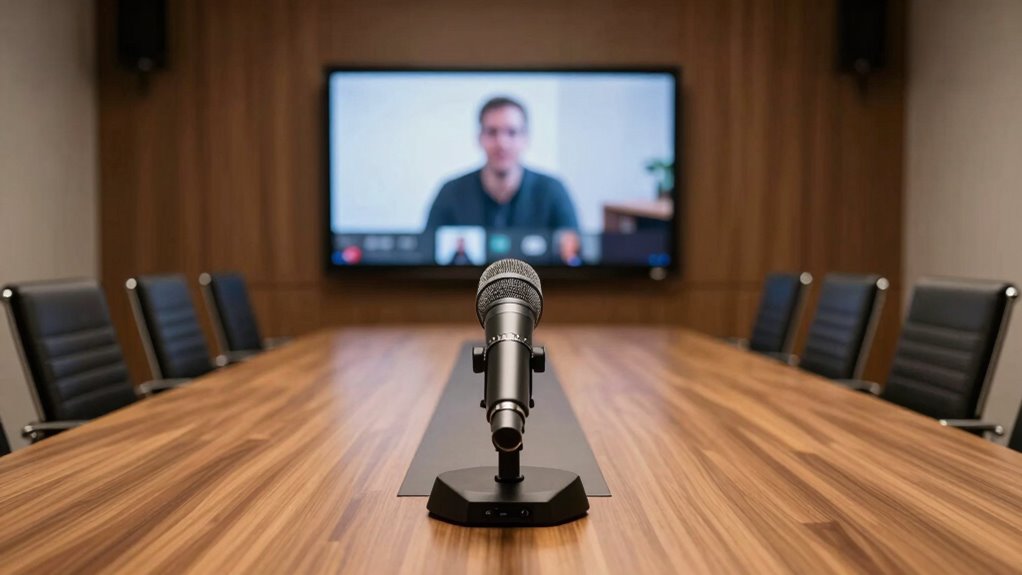
In virtual meetings, clear audio is often more vital than a high-resolution camera because poor sound quality can quickly derail communication and cause frustration. No matter how crisp your video looks, if your voice is muffled, distorted, or interrupted by background noise, your message won’t get across effectively. That’s why paying attention to your audio setup is essential. You need to focus on two key factors: managing background noise and optimizing microphone placement. These elements directly impact how well others can hear you and understand your points.
Background noise is one of the biggest distractions during online meetings. It can come from various sources—typing, chatter, traffic, or even household appliances. When these noises bleed into your microphone, they make it difficult for participants to focus on your voice. Instead of paying attention to what you’re saying, they’re distracted by the unwanted sounds. To combat this, consider using noise-canceling microphones or software that filters out background noise. Additionally, try to create a quiet environment during meetings. Close windows, turn off fans, or find a space where external sounds won’t interfere. Your goal is to provide a clean, clear audio signal that’s free from distractions. Understanding how to manage background noise effectively is crucial for better communication. Using soundproofing techniques can further enhance your audio clarity by reducing external noise infiltration. Proper microphone placement also plays a critical role in capturing your voice accurately and clearly. Moreover, being aware of your audio settings can help optimize sound quality for each meeting. Paying attention to audio quality can make a significant difference in how your message is received.
noise cancelling microphone for office
As an affiliate, we earn on qualifying purchases.
As an affiliate, we earn on qualifying purchases.
Frequently Asked Questions
How Can Poor Audio Impact Meeting Productivity?
Poor audio can severely impact your meeting productivity by muddling voice clarity, making it harder for you to understand and respond quickly. When audio quality drops, you might struggle to follow conversations, causing frustration and reducing participant focus. This often leads to repeated questions or misunderstandings, wasting valuable time. Ensuring clear sound helps everyone stay engaged, enhances communication, and keeps your meetings efficient and productive.
What Are Common Audio Issues in Office Meetings?
Imagine a meeting where voices echo or cut out unexpectedly. Common issues include poor audio calibration, causing background noise and echo, and microphone placement that muffles or distorts speech. You might struggle to hear colleagues clearly or find yourself misinterpreting tone. These problems disrupt flow and cause frustration. Properly calibrating audio equipment and carefully placing microphones can eliminate these issues, ensuring everyone’s voice is heard loud and clear.
How Does Audio Quality Affect Participant Engagement?
Good audio quality directly boosts your participant engagement by ensuring voice clarity, so everyone can easily follow the conversation. When audio is clear, participants stay attentive and involved. Poor sound quality causes hearing fatigue, making people want to disconnect or tune out faster. By prioritizing clear, crisp audio, you create a more comfortable environment, encouraging active participation and reducing fatigue, which leads to more productive and focused meetings.
What Equipment Improves Office Audio Clarity?
Want crystal-clear office audio? Start with the right equipment. Proper microphone placement guarantees your voice is captured clearly without background noise. Combine this with acoustic treatment—like sound-absorbing panels—to minimize echo and distractions. These upgrades make a huge difference, transforming your meetings from frustrating to seamless. Don’t underestimate how strategic microphone placement and acoustic treatment can elevate your audio quality, keeping everyone engaged and focused.
Can Background Noise Be Effectively Reduced During Calls?
Yes, background noise can be effectively reduced during calls with features like echo cancellation and noise suppression. These tools work together to filter out unwanted sounds, making your voice clearer and more intelligible. By enabling these settings on your microphone or headset, you’ll minimize distractions and guarantee your conversations stay professional and focused. Investing in equipment with these features is a smart move for better meeting quality.
soundproofing foam panels for office
As an affiliate, we earn on qualifying purchases.
As an affiliate, we earn on qualifying purchases.
Conclusion
You might think a clear camera makes meetings more engaging, but research shows audio quality impacts communication more. When your voice isn’t muffled or distorted, it’s easier to connect and understand each other. Some experts argue that great audio can even compensate for less-than-perfect video, enhancing overall collaboration. So, if you want more productive meetings, prioritize your audio setup—because clear sound truly makes all the difference in effective remote communication.
As an affiliate, we earn on qualifying purchases.
background noise filter software
As an affiliate, we earn on qualifying purchases.
As an affiliate, we earn on qualifying purchases.
Halloween Picks
halloween
As an affiliate, we earn on qualifying purchases.