🔍 Read the full analysis: 10 Best Mini PCs For Running Local AI Workloads This Year on ThorstenMeyerAI.com

Prime made for students and young adults
- Fast, free delivery for dorm and study essentials
- Prime Video and Amazon Music included
- Member-only deals
TL;DR
The supplied source supports seven distinct mini PC models or configurations, not ten, so this comparison does not invent three additional picks. It names the GEEKOM A9 Max as its balanced choice, the GMKtec EVO-X3 for its listed 128GB of memory, and the GMKtec K15 with Oculink for external graphics flexibility.
A buyer’s comparison of mini PCs for local AI names the GEEKOM A9 Max as its best overall pick, citing a listed Ryzen AI 9 HX 470 processor, 32GB of DDR5 and a 2TB SSD, as detailed in the original analysis. The source describes seven distinct models or configurations, fewer than the ten promised by the requested headline, and does not provide benchmark results to establish how quickly they run AI workloads.
The comparison favors systems with configurations that appear ready for use, weighing processor class alongside installed memory, memory type, storage and expansion. It calls the A9 Max the most balanced package among the options it discusses. That is the source author’s assessment, based on the listed hardware; it is not an independently verified performance finding.
The GMKtec EVO-X3 is presented as a specialist option because the source lists it with 128GB of LPDDR5X, a consideration for AI workload systems. The source says that capacity may suit memory-heavy work involving larger models or datasets, while warning that capacity alone does not establish which models will run well. Several other named systems have 32GB of memory, including the GEEKOM GT15 Max, GEEKOM IT15 and MINISFORUM AI X1 Pro.
The two listed GMKtec K15 configurations make different compromises, including the option of a mini PC with dual monitor support for multi-screen setups. The NucBox K15 is listed with a 1TB SSD; the K15 with Oculink is listed with a 512GB SSD and an Oculink connection that offers a route to external graphics. The source does not give pricing, test results, cooling measurements or software compatibility data for these configurations.
The 10 picks
- 1
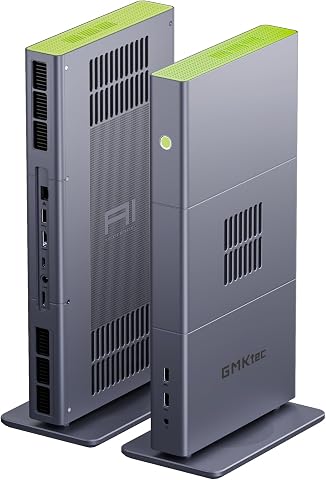 GMKtec EVO-X3 Mini PC with AMD Ryzen AI Max+ 395, 128GB LPDDR5X, and 2TB PCIe…View on Amazon →
- 2
 GMKtec EVO-X2 AI Mini PC AMD Ryzen AI Max+ 395, Up to 5.1GHz, 16C/32TView on Amazon →
- 3
 GEEKOM A9 Max Top AI Mini PC, AMD Ryzen AI9 HX470, 32GB DDR5, 2TB SSDView on Amazon →
- 4
 GEEKOM IT15 Mini PC with Intel Ultra 9 285H, 32GB DDR5, 1TB SSD, Arc 140T GPU…View on Amazon →
- 5
 MINISFORUM AI X1 Pro-370 Mini PC with AMD Ryzen AI 9 HX370, 32GB DDR5, 1TB SS…View on Amazon →
- 6
 GEEKOM GT15 Max Business & Professional Mini PC with Intel Core Ultra 9, 32GB…View on Amazon →
- 7
 GEEKOM IT13 MAX AI Mini PC with Intel Ultra 9 185H, 24GB LPDDR5, 500GB SSDView on Amazon →
- 8
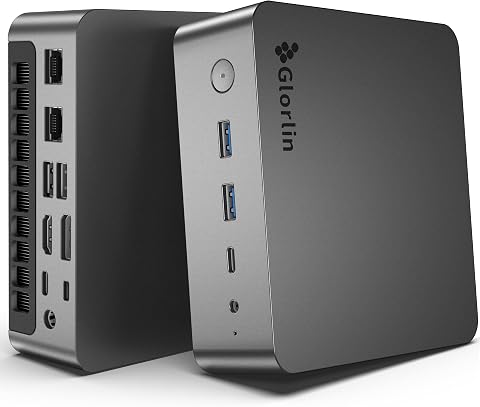 Glorlin Mini PC with AMD Ryzen 7 Pro 8845HS, 16GB DDR5 RAM, and 1TB SSDView on Amazon →
- 9
 GMKtec K15 AI Mini PC Oculink Intel Ultra 5 125U 32GB DDR5 512GB SSD, Desktop…View on Amazon →
- 10
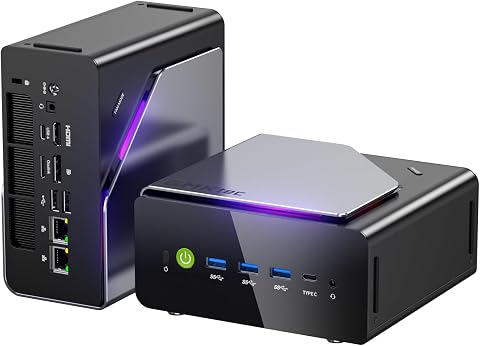 GMKtec K15 Mini PC AI Ultra 5 125U, 12-Core, 32GB DDR5, 1TB PCIe 4.0 SSDView on Amazon →
GEEKOM A9 Max: balanced configuration
The A9 Max is the source’s overall choice, with a listed Ryzen AI 9 HX 470, 32GB DDR5 and 2TB SSD. The recommendation reflects the combination of memory and storage supplied alongside the processor. Buyers still need workload-specific results to know how it performs with particular models and software.
Popular right now

LG 77-Inch OLED evo C6 4K Smart TV

Shark AI Ultra Robot Vacuum with Matrix Clean Navigation, Self-Empty Base, HEPA Filtration, Pet Hair Friendly, Wi‑Fi, Dark Grey

KitchenAid Artisan 5-Quart Tilt-Head Stand Mixer, Almond Cream
As an affiliate, we earn on qualifying purchases.
GMKtec EVO-X3: high listed memory
The EVO-X3 stands out in this comparison for its listed 128GB LPDDR5X. That capacity gives it a distinct role for tasks that need more data in memory, according to the source. It does not, by itself, establish model compatibility, speed or whether the memory can be upgraded.
GMKtec K15 with Oculink: graphics path
This K15 configuration pairs a listed Intel Core Ultra 5 125U with Oculink and a 512GB SSD. The connection may matter to buyers planning an external graphics setup, but that requires additional hardware and compatibility checks. Its listed drive is smaller than the 1TB drive in the other K15 configuration.
GMKtec NucBox K15: larger listed drive
The NucBox K15 is listed with an Intel Core Ultra 5 125U and a 1TB SSD. Compared with the Oculink K15 configuration, it offers more included storage but does not have the Oculink addition described in the source. The source gives no comparative workload tests.
GEEKOM GT15 Max: 32GB configuration
The source names the GT15 Max among premium processor options supplied with 32GB of RAM. It does not give a complete specification here, including storage capacity or memory type. Readers should confirm the exact configuration and check whether 32GB suits their intended models before buying.
GEEKOM IT15: check the workload fit
The IT15 is also identified as a premium option with 32GB of RAM. The source does not provide a benchmark, storage figure or detailed processor specification for it in the supplied material. Its position in a local AI setup therefore depends on details that need to be checked against the seller’s configuration and the buyer’s software.
MINISFORUM AI X1 Pro: compare full specs
The MINISFORUM AI X1 Pro appears in the source’s list of systems with 32GB of memory. No storage capacity, memory type or independent results are included in the supplied details. Its name alone cannot establish performance or suitability for a particular local AI workload.
Memory and expansion shape the choice
The comparison matters to buyers because a mini PC’s processor label gives only part of the picture. Memory capacity can limit what fits in a system, while storage affects how many models and datasets can be kept locally. These constraints may matter before headline processor tiers do, depending on the software and task.
Expansion can change the setup, but it also changes the cost and footprint. The K15 with Oculink offers a potential external graphics route, while its listed 512GB SSD leaves less included storage than the other K15’s 1TB drive. Buyers considering that route need to account for the additional graphics hardware and verify compatibility; the source does not establish that Oculink will improve any particular workload.
For readers, the practical takeaway is to compare the full configuration with the work they plan to run. The source’s picks are recommendations, not proof that one machine is faster or more capable across all local AI tasks.
How the comparison ranks systems
The source says it compared processor class, installed memory and memory type, storage, expansion options and how ready each listed configuration is to use. It gives priority to balanced capability, while also recognizing specialist needs such as unusually high memory or an Oculink connection. Those criteria explain why it favors the A9 Max overall and assigns the EVO-X3 and K15 with Oculink narrower roles.
The supplied material supports seven distinct configurations: the A9 Max, EVO-X3, two K15 configurations, GT15 Max, IT15 and AI X1 Pro. It does not identify three further picks, so a ten-product ranking cannot be substantiated from this material. It also does not include prices, availability, independent benchmarks, thermal testing or detailed software support. Specifications and recommendations should be checked against current listings before purchase.
Performance evidence is missing
The supplied material does not include benchmark results, workload-specific testing, cooling measurements or independent confirmation of the listed configurations. It therefore cannot establish how fast the systems run particular models, how they behave under sustained load, or which software can use their processor acceleration features.
Some product details are incomplete: the source does not provide full specifications for the GT15 Max, IT15 or AI X1 Pro. It also does not say whether memory is replaceable, what SSD expansion each chassis supports, or whether a planned graphics enclosure and card will work with the Oculink K15. The material identifies only seven configurations, leaving three of the promised ten picks unsupported.
Verify configurations before buying
Before choosing a system, buyers should check the exact seller listing for processor, memory type and capacity, SSD size, upgrade options and current price. They should compare those details with the memory and storage demands of the models, datasets and applications they plan to run. For an Oculink setup, they should also confirm enclosure, graphics card, connection and power compatibility.
A fuller ten-pick comparison would need three additional sourced products, plus comparable configuration details and workload testing. Until that information is available, the source supports a seven-configuration comparison and leaves relative performance unresolved.
Key Questions
Does the source support ten mini PC picks?
No. It identifies seven distinct configurations. The supplied material does not name three more products, so a ten-pick list cannot be verified from it.
Which model is the source’s overall choice?
The source names the GEEKOM A9 Max, citing its listed Ryzen AI 9 HX 470, 32GB of DDR5 and 2TB SSD. This is the author’s recommendation, not a conclusion supported by comparative benchmarks.
Why does the EVO-X3 stand out?
The source lists the GMKtec EVO-X3 with 128GB of LPDDR5X and recommends considering it for memory-heavy work. That figure alone does not prove that a specific model or dataset will run well.
What is the tradeoff between the two K15 configurations?
The NucBox K15 is listed with a 1TB SSD. The K15 with Oculink is listed with a 512GB SSD and adds a connection that may support an external graphics setup, subject to hardware and compatibility checks.
Source: ThorstenMeyerAI.com